
DESIGNING FOR SPEED
Redesigning Attendance Management to cut Trainer time in half
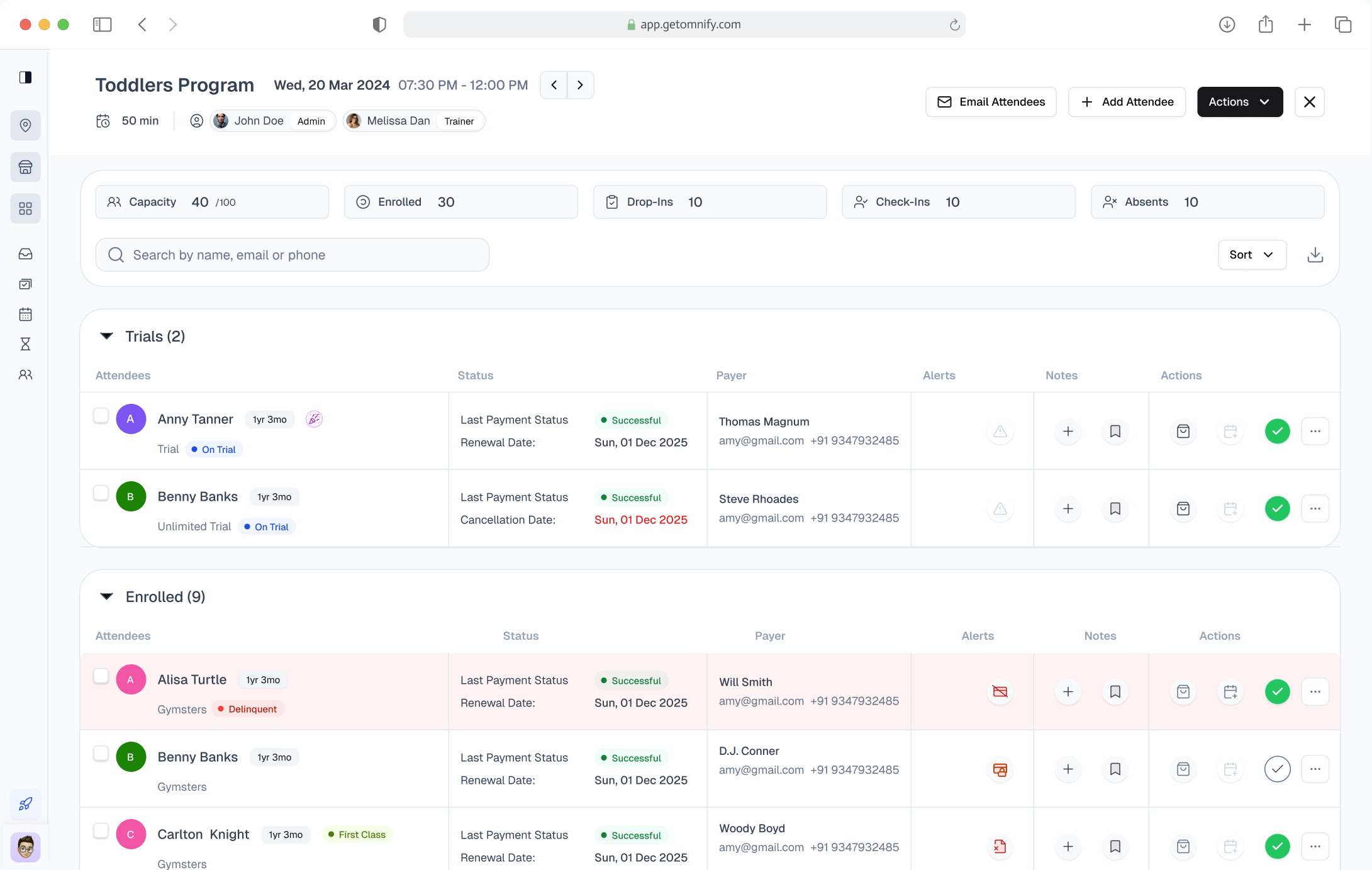
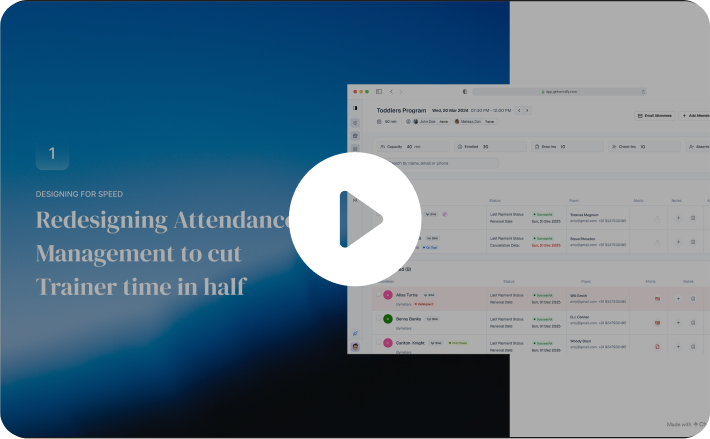
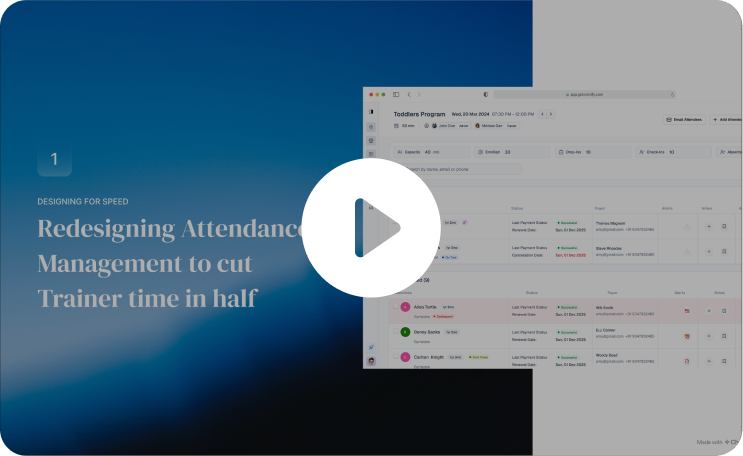
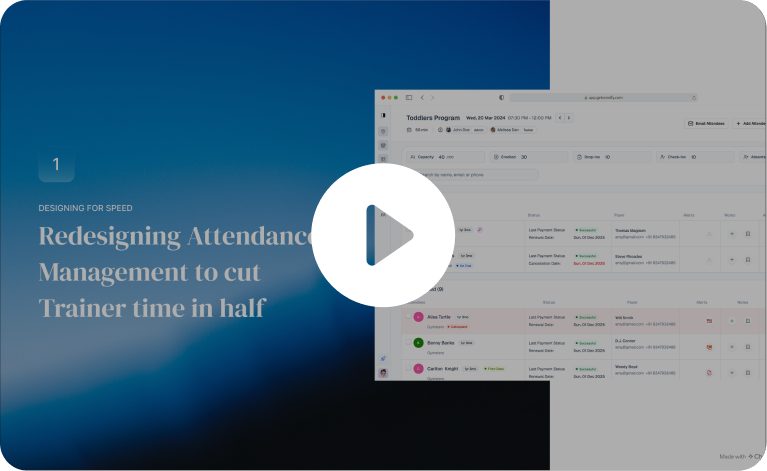
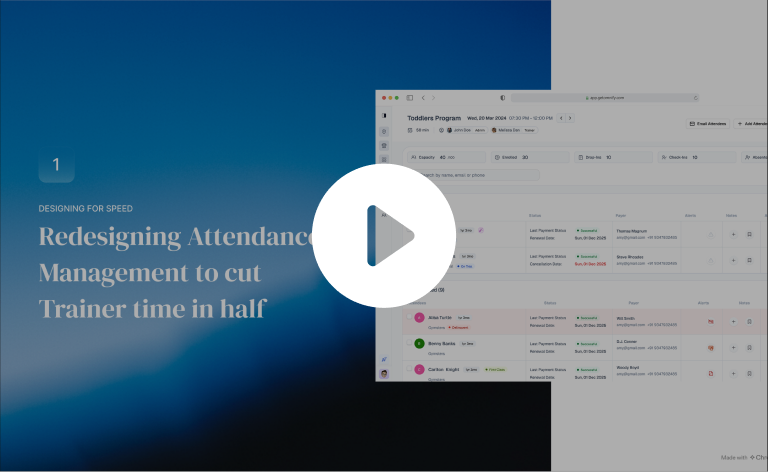
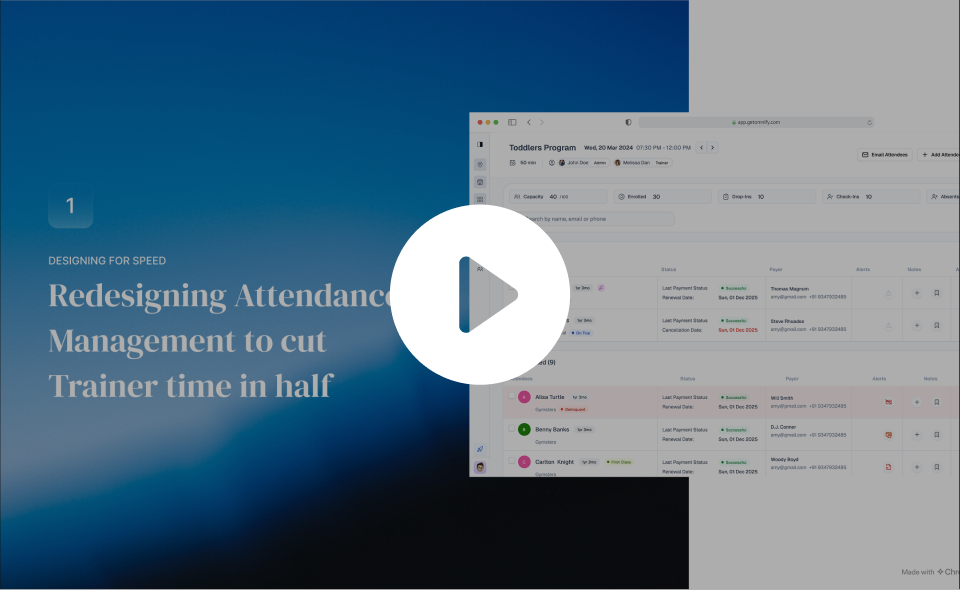
Short on Time?
Here’s a Quick Walkthrough
About Omnify
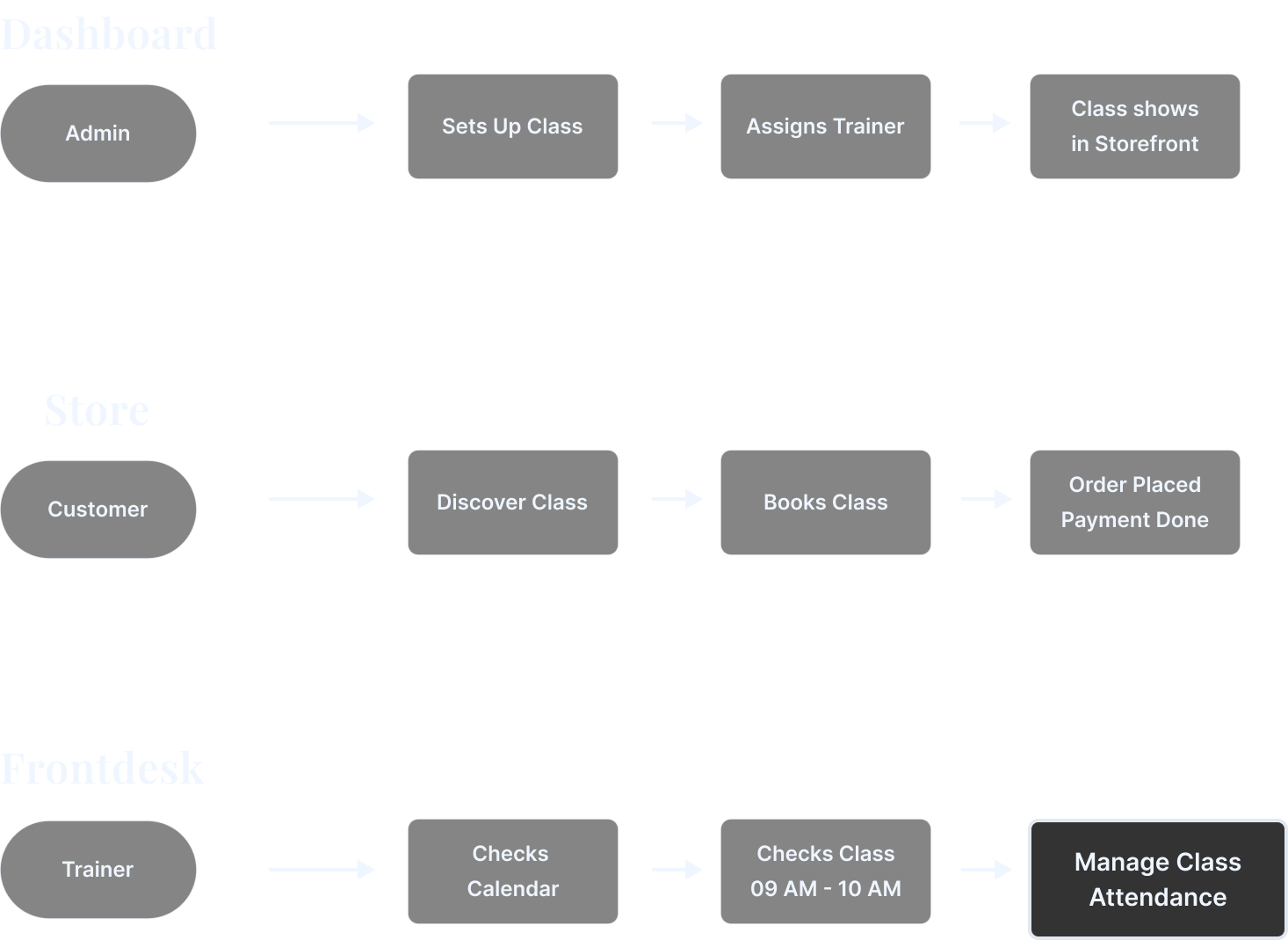
- SAAS which helps Service Business(Sports, Recreation, Kids classes, Cooking classes)

- Basically shopify for service business.

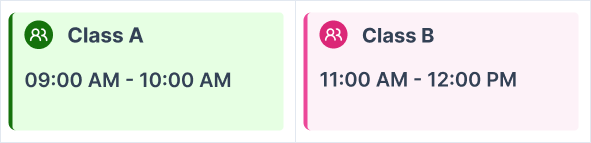
- Service Business sells & runs per schedule (timebound).So Schedule management becomes the key offering.EX: Class A: 9AM-10AM, Class B: 11AM-12PM


My role on this project
01
My Role
I was the sole product designer, owning end-to-end — discovery, framing, exploration, final design, and rollout support.
02
PM - 1
On scope, prioritization, research and enterprise customer signals
03
Engineers - 4
I paired closely with the frontend lead on the component framework constraints
04
Customer success - 1
Who gave me direct access to enterprise trainers for shadowing and feedback
What’s Class Attendance Management
What
- Trainers handle multiple classes in a dayEX: Class A: 9AM-10AM, Class B: 11AM-12PM
- Dedicated place to take attendance for each of these classes
Who uses it: Trainers
- Trainers and staff, including gig workers.
- Must be intuitive with minimal learning curve.

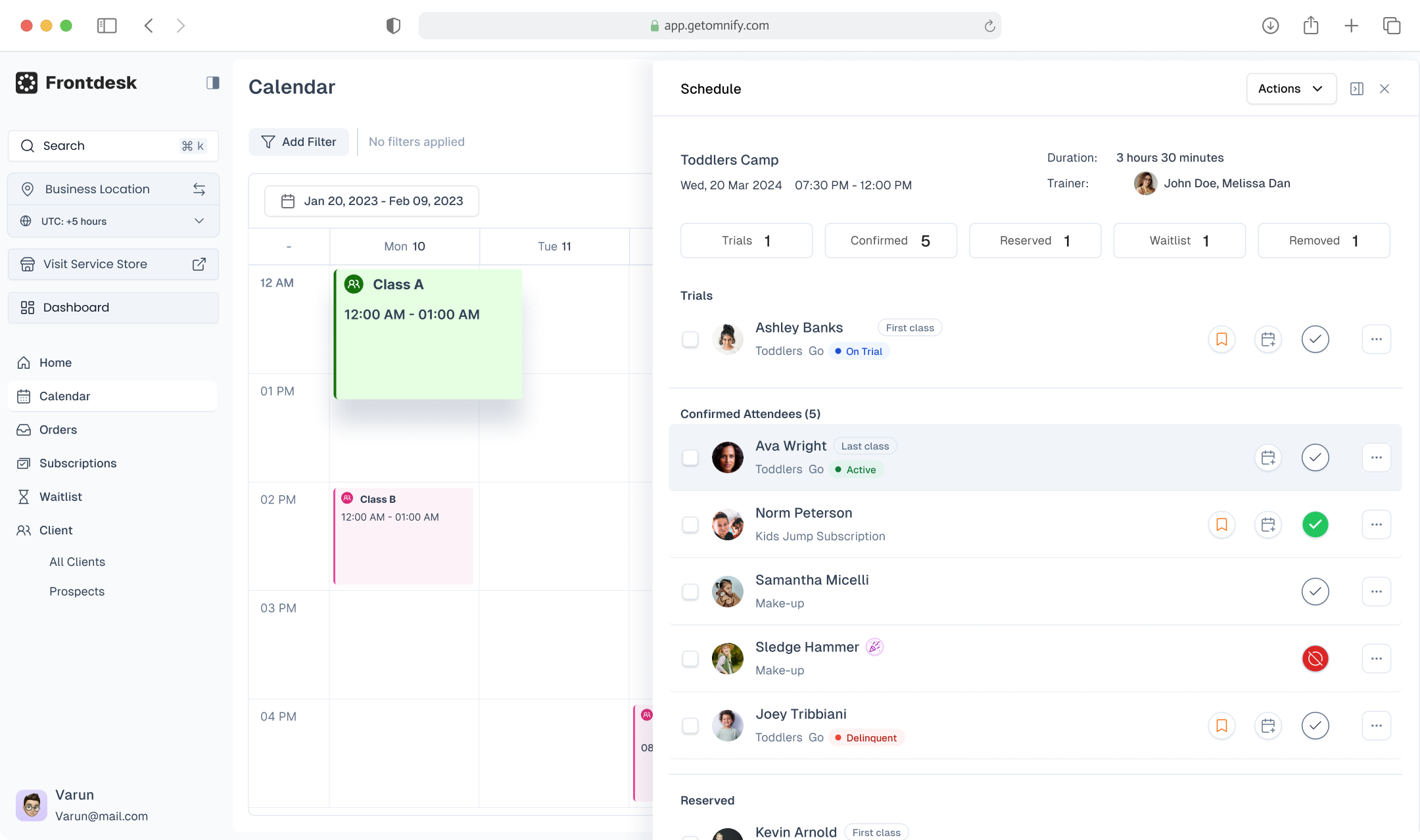

Understanding Business Problem
Need
- Attendance is taken at the start or end of class.10–15 minutes to mark 20–30 members—speed is critical.
- Not just Attendance but a operational space for Upsell & Retention as well
How it Started
- Requests to cover more usecases & new enterprise types
- Since all parts of operations are '“Interconnected”
Stake
- Scale of the product and churn

Challenge
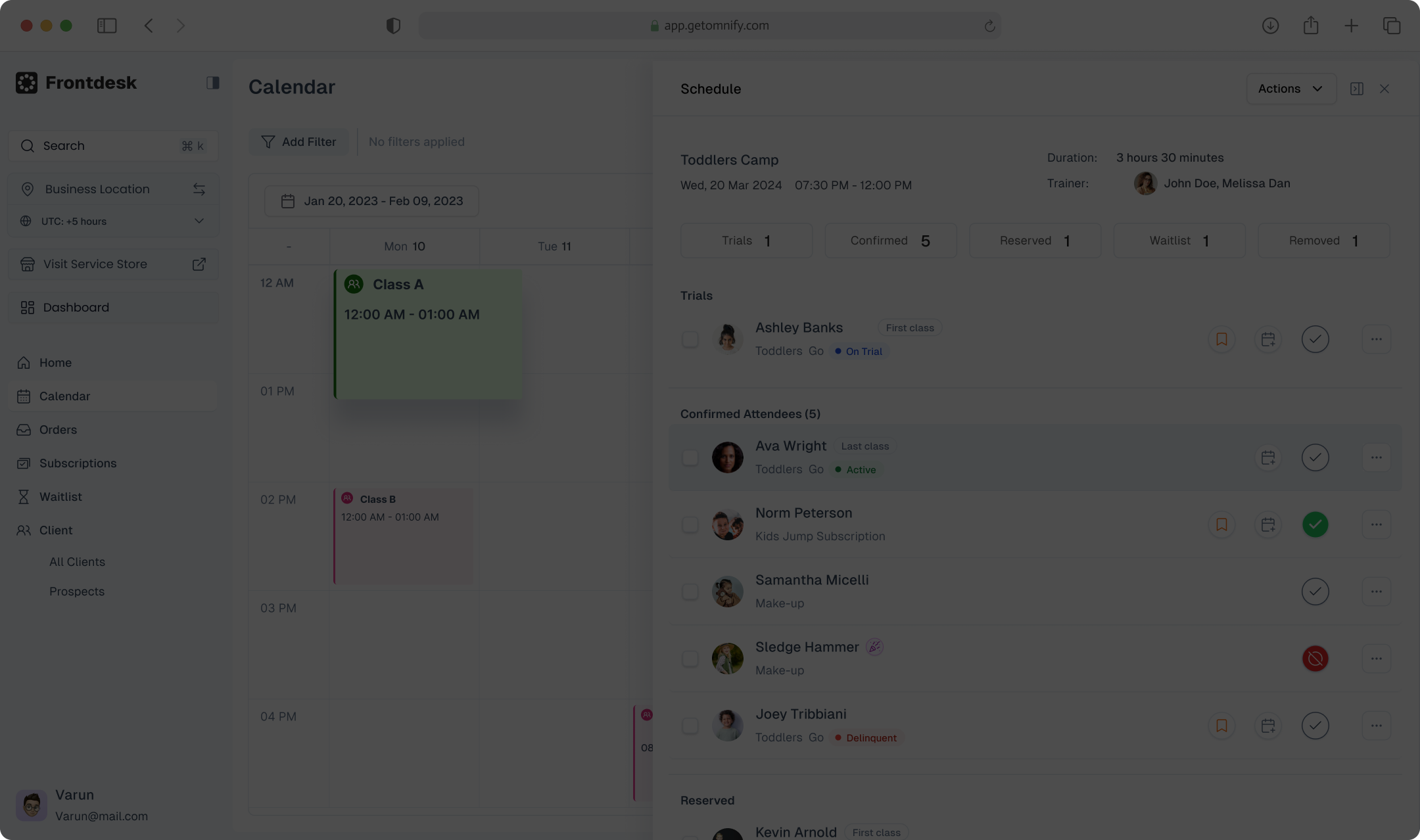
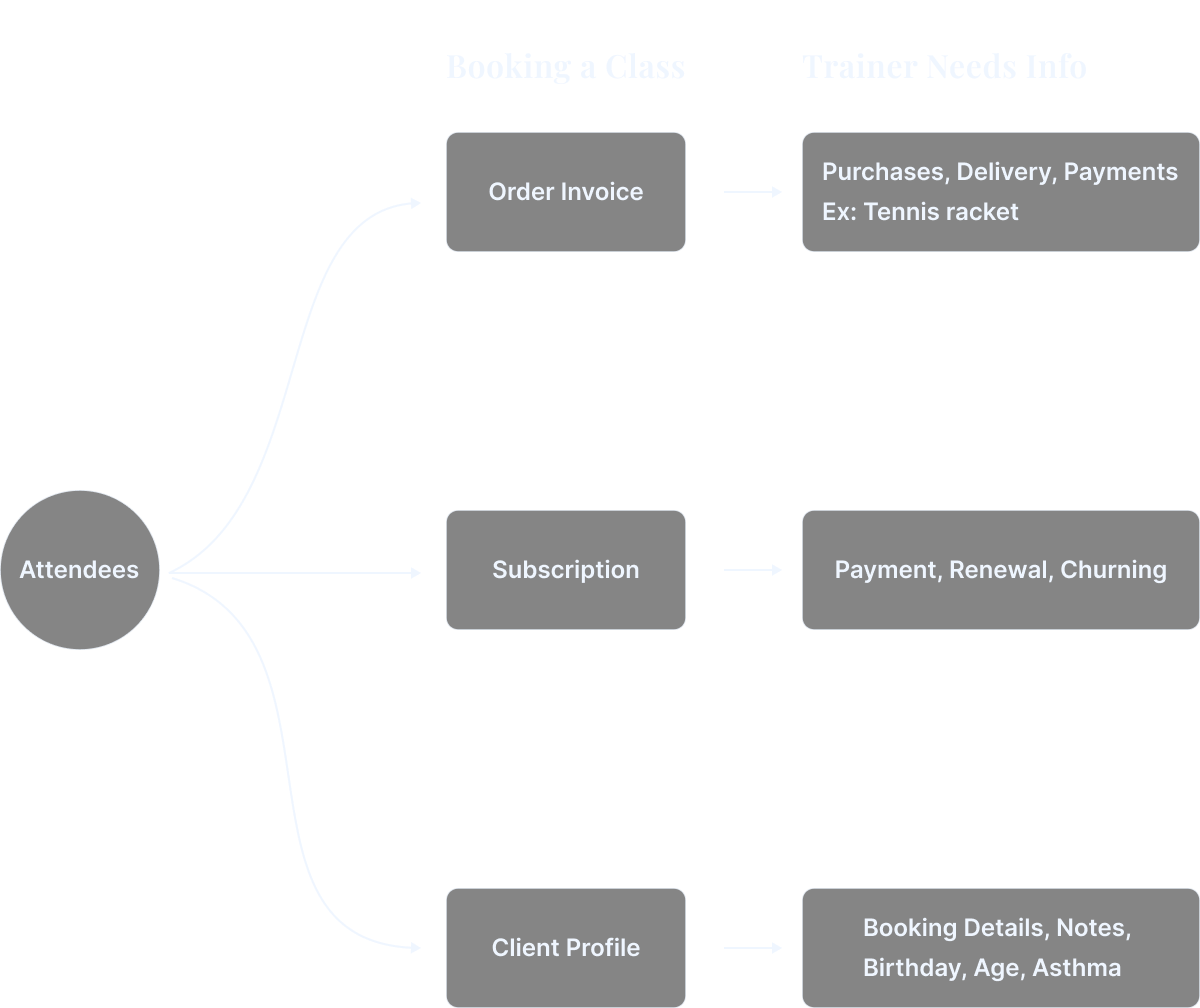
DISCOVERY
How I Understood the Problem
01
Trainer shadowing
- Watched recorded sessions with customer success
- Trainers were bottle necked on context-switching
02
Trainer interviews
- PM spoke with trainers across locations
- They were asking for the answer to one question, faster.
03
Support ticket analysis
- With the customer success team, I pulled attendance-related tickets.
- The top three themes were: subscription confusion during class, parent contact friction, and mistakes from child's profile.
Why this matters
Not just for Attendance but a operational space for Upsell & Retention as well. This is tightly coupled to business goal i.e Sell and Save Time
The time cost compounds across:
- Multiple classes per day for each trainer
- Multiple trainers at each location
- 200+ locations for enterprise clients
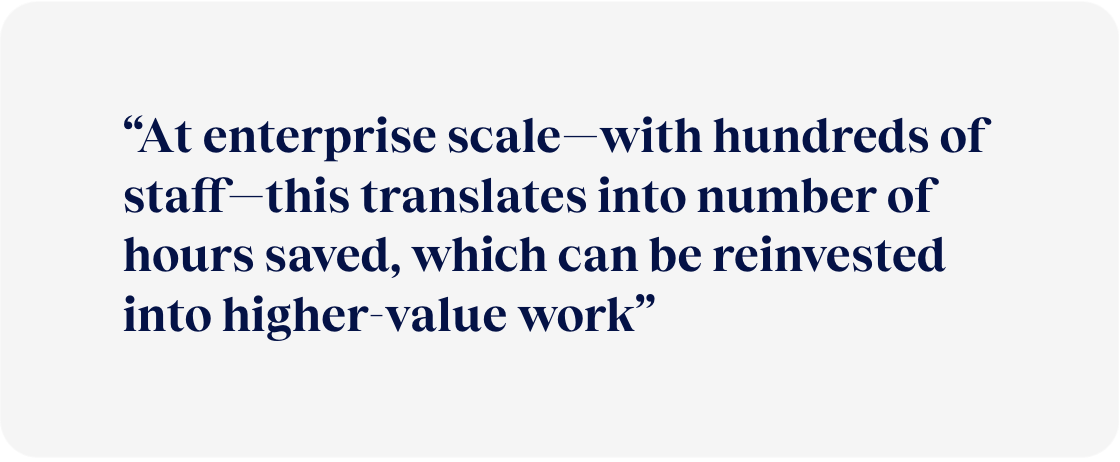

Product Problem Statement
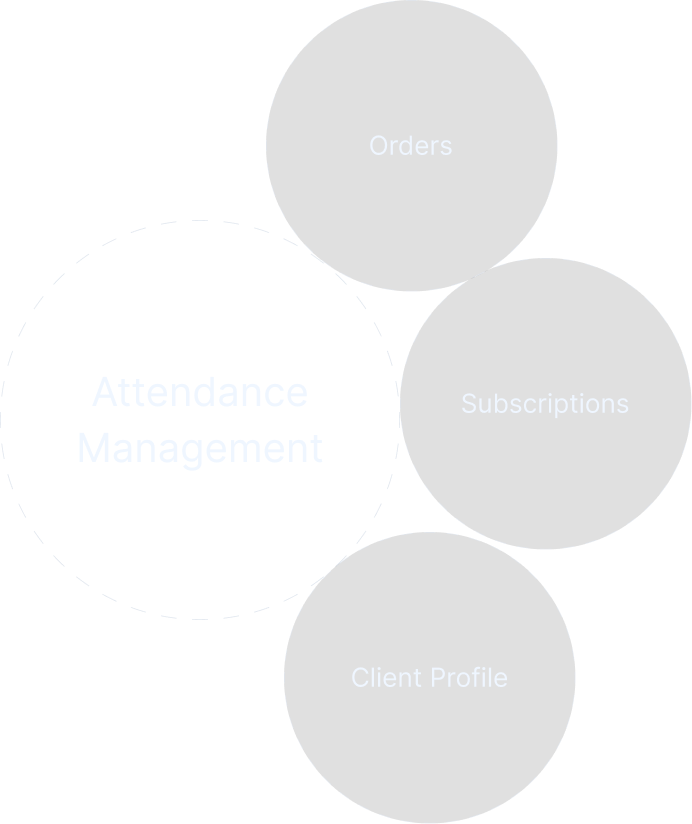
“Trainers managing back-to-back classes are forced to switch across multiple disconnected surfaces (orders, subscriptions, client profiles), slowing down attendance-taking and increasing the risk of operational errors during time-critical sessions”
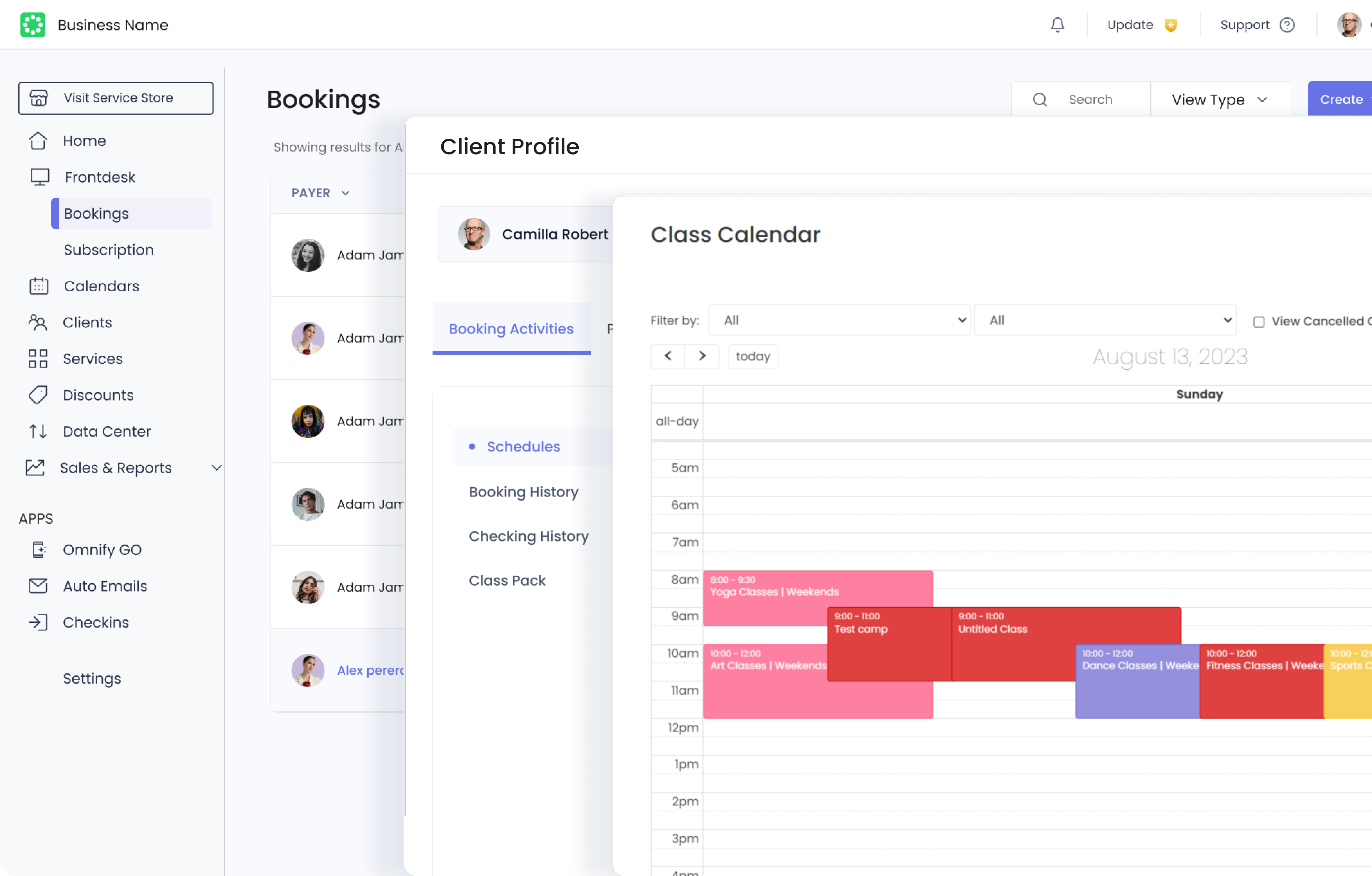
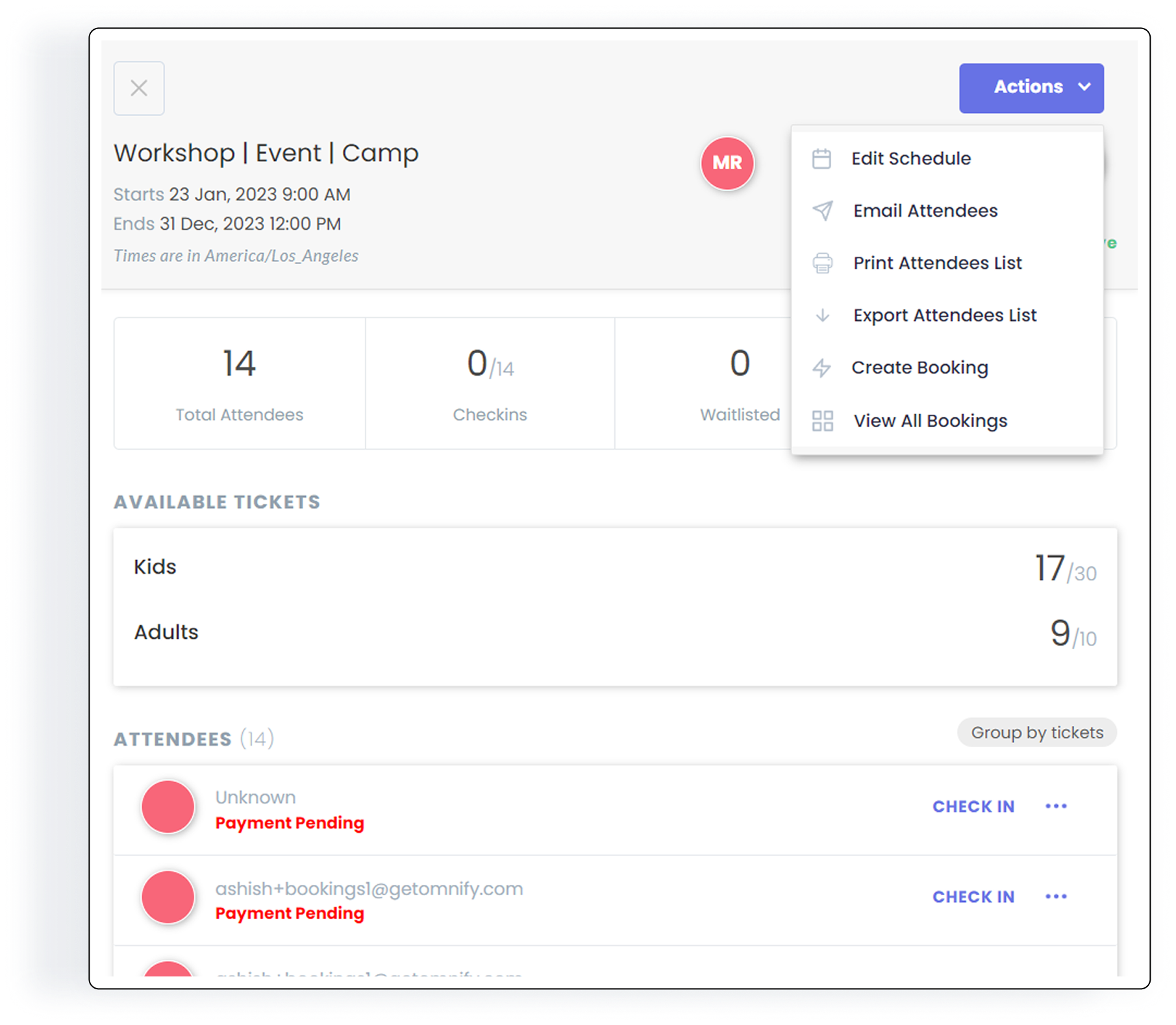
Goals
“ Approach this from system thinking by redesigning all the daily operation i.e Attendance Management, orders, subscription and client profile such that to connect & bring all these parts whenever needed.

Exploration:
Direction 1: Inline expansion within the roster row
- Expands like a gmail thread opening
- Why I rejected it:expansions stacked awkwardly with three kids
Direction 2: Full-page roster
- Surface key context in the roster itself, and for deeper exploration send them to a unified Family Profile
- Prototyped and tested as roll back plan
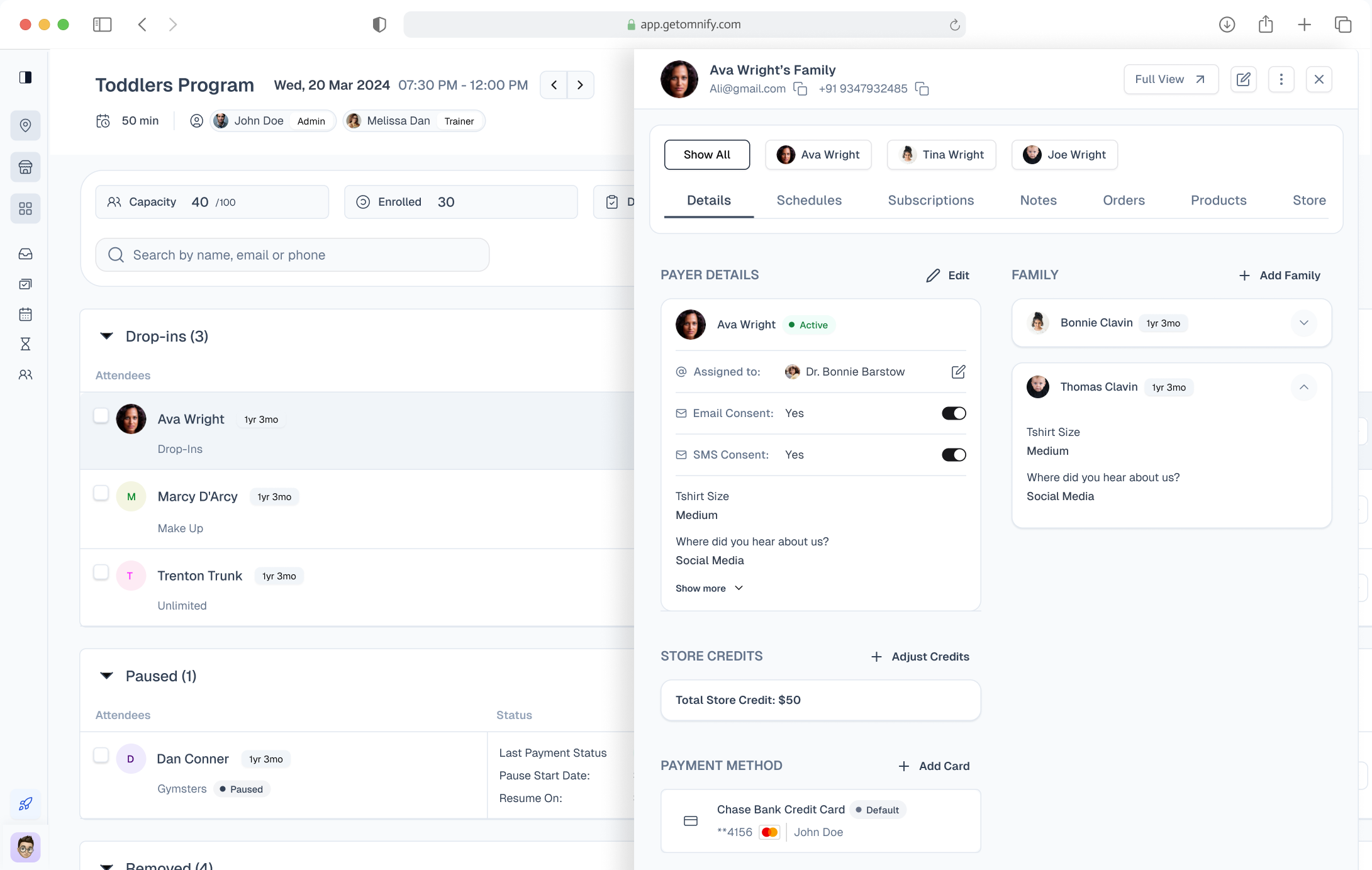
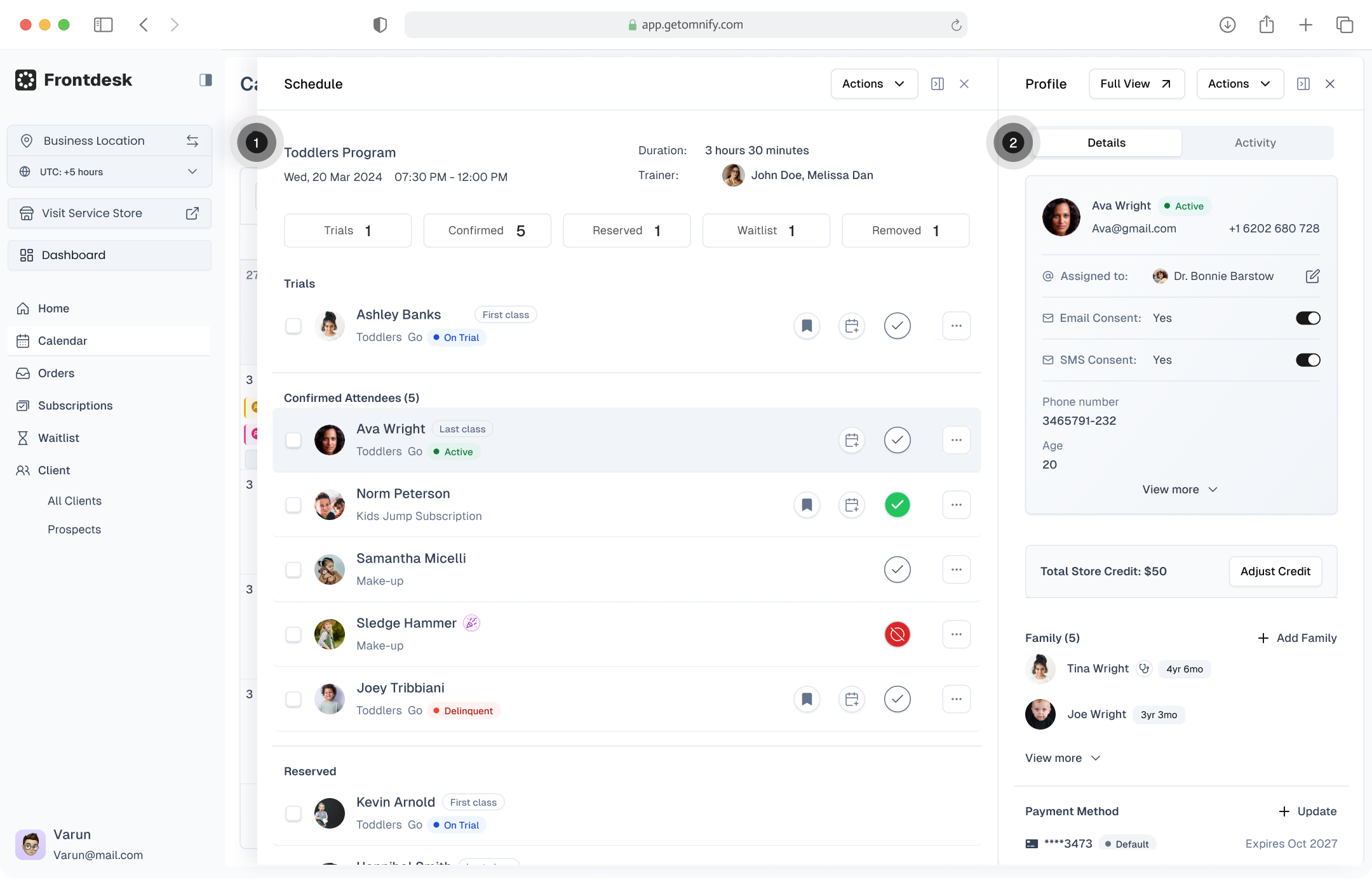
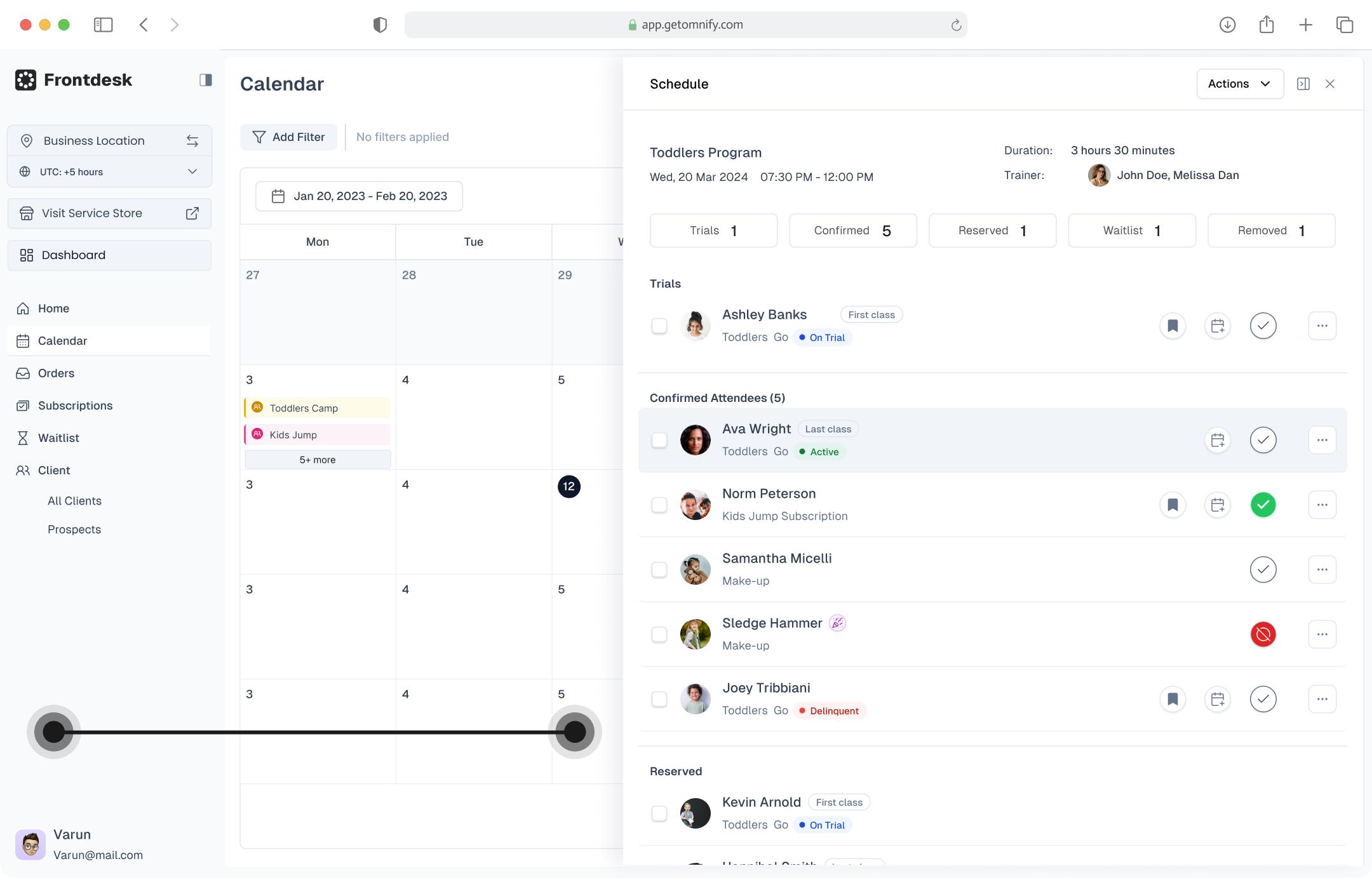
Exploration: Solving through Side Panels
Adopted new design system to facilitate the new redesign


CONSTRAINT
What i was working with
01
Users
- Gig workers
- 40s–50s. Minimal tech fluency.
- The interface needed near-zero learning curve.
02
Timeline
- 2.5+ months for first version.
- Redesign system scope was 5 months.
03
Technical
- Existing codebase with modal heavy architecture.
- New component framework.Minimal Design system
- Side panel stacking needs priority order
04
Risks
- Scanning & prioritizing key data is hard as information load
- Still exploration hence roll back plan
Where I Was Wrong
Missing Operational Context

Trainer’s Center Place for Operation
- 90% of class time
- Upfront information
- Limited panel stacking to just one

Family context was scattered
- When a parent books classes for multiple children
- Payments in parent & Subscription in child

Metrics weren't grounded in behavior
Data needs operational context to drive decisions.
The Pivot: 2 Key Design Decisions
Turning Attendance as Page and the Primary Workspace
- Full-page view for speed—Stays open for the entire class session
- Ex: While taking attendance might need info of if Churning, Payment Issue, Contact details, Payment alerts, Health Notes, Product received or not.
Open Family Profile for all additional details
- Client Profile as centre piece, shows all children in a family
- Ex: For retention of churning customer trainer might extend their subscription. Need to quick reach action to extend renew subscription
BEFORE
Group by stage & minimal columns
- Group By: System-driven stages
- Column: Attendees and their subscription
- Flow: Open Roster → go to profile → go to child profile → check subscription → come back → mark attendance
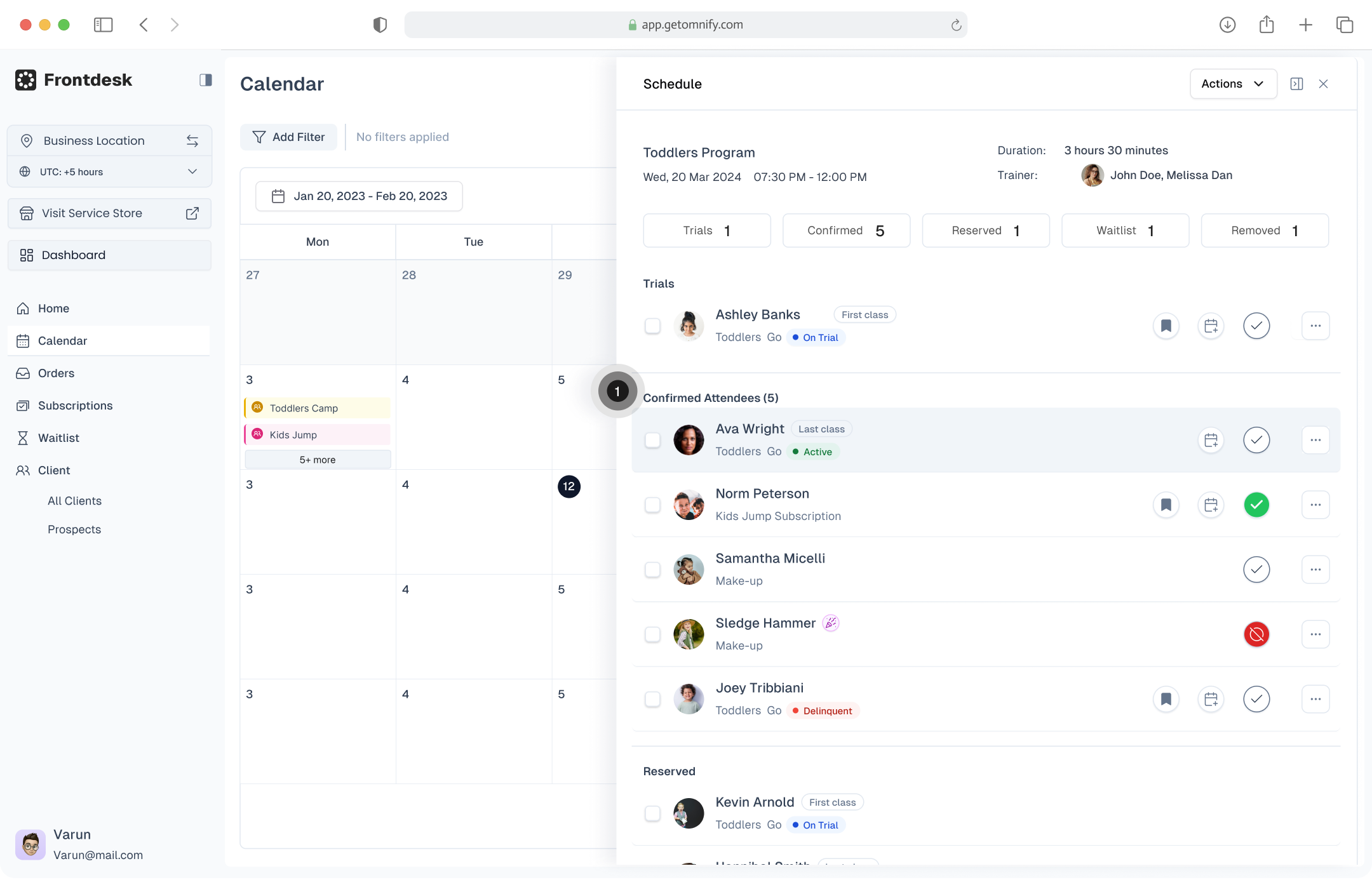
NOW
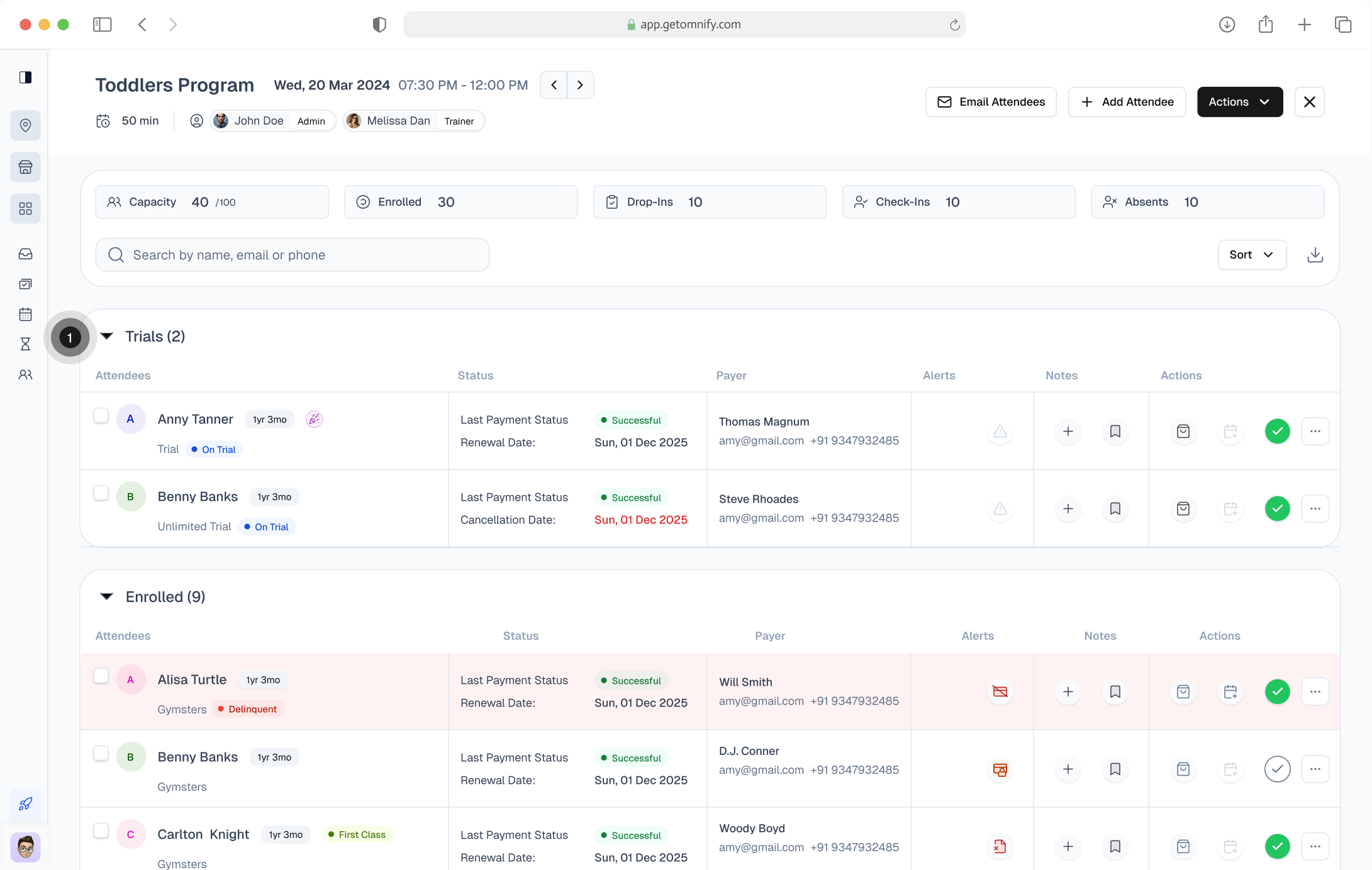
Group by booking type & added columns
- Group By: Booking type
- Left Side for Scanning & Right Side for Actions
- Ex: While taking attendance might need info of if Churning, Payment Issue, Contact details, Payment alerts, Health Notes, Product received or not.
- Flow: Stay in roster → open panel → verify + act → mark
BEFORE
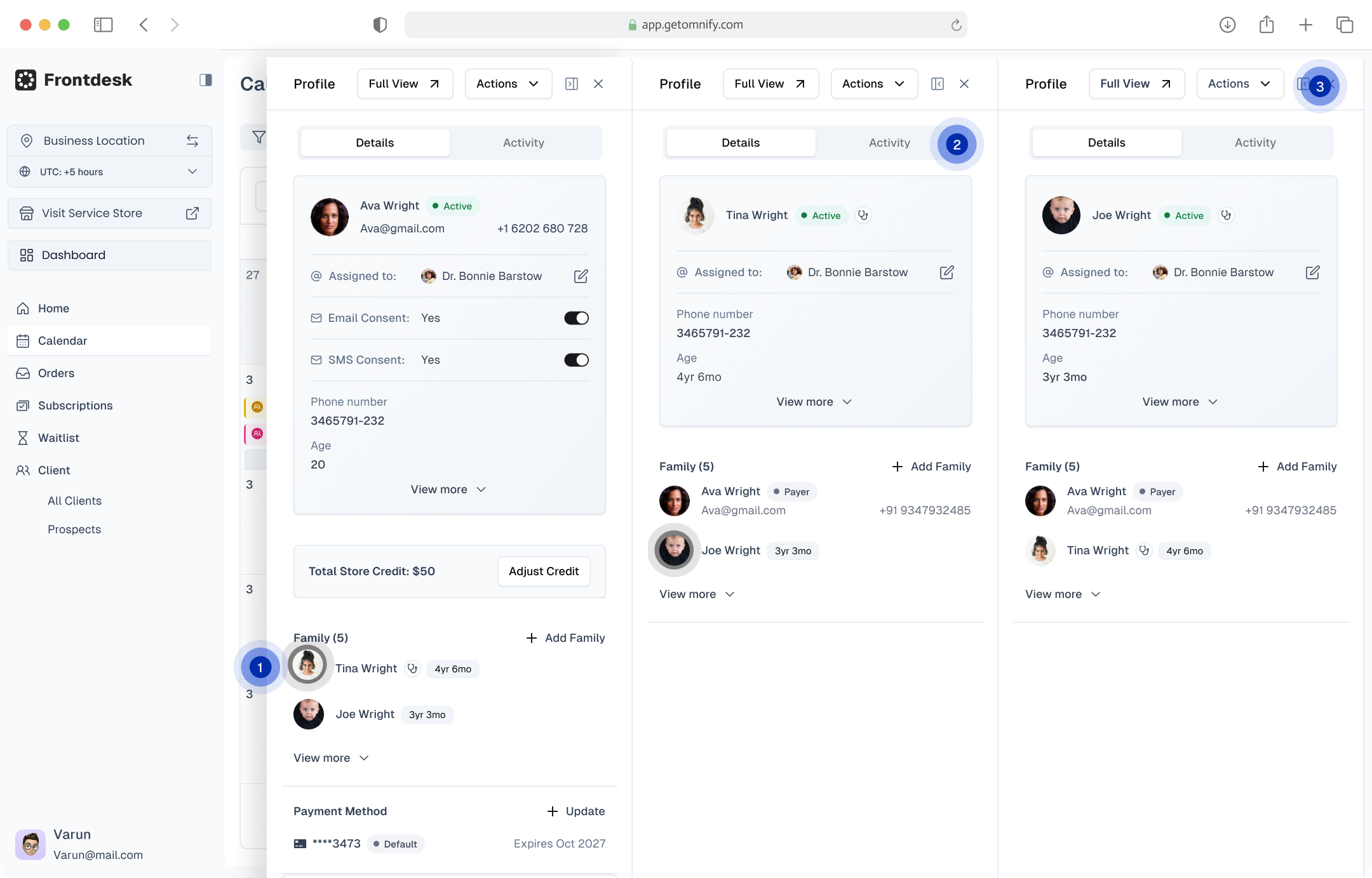
Stacking - Panels
- Fragmented Layout: Client profile split into left (info) and right (activity)
- Scattered Family Context
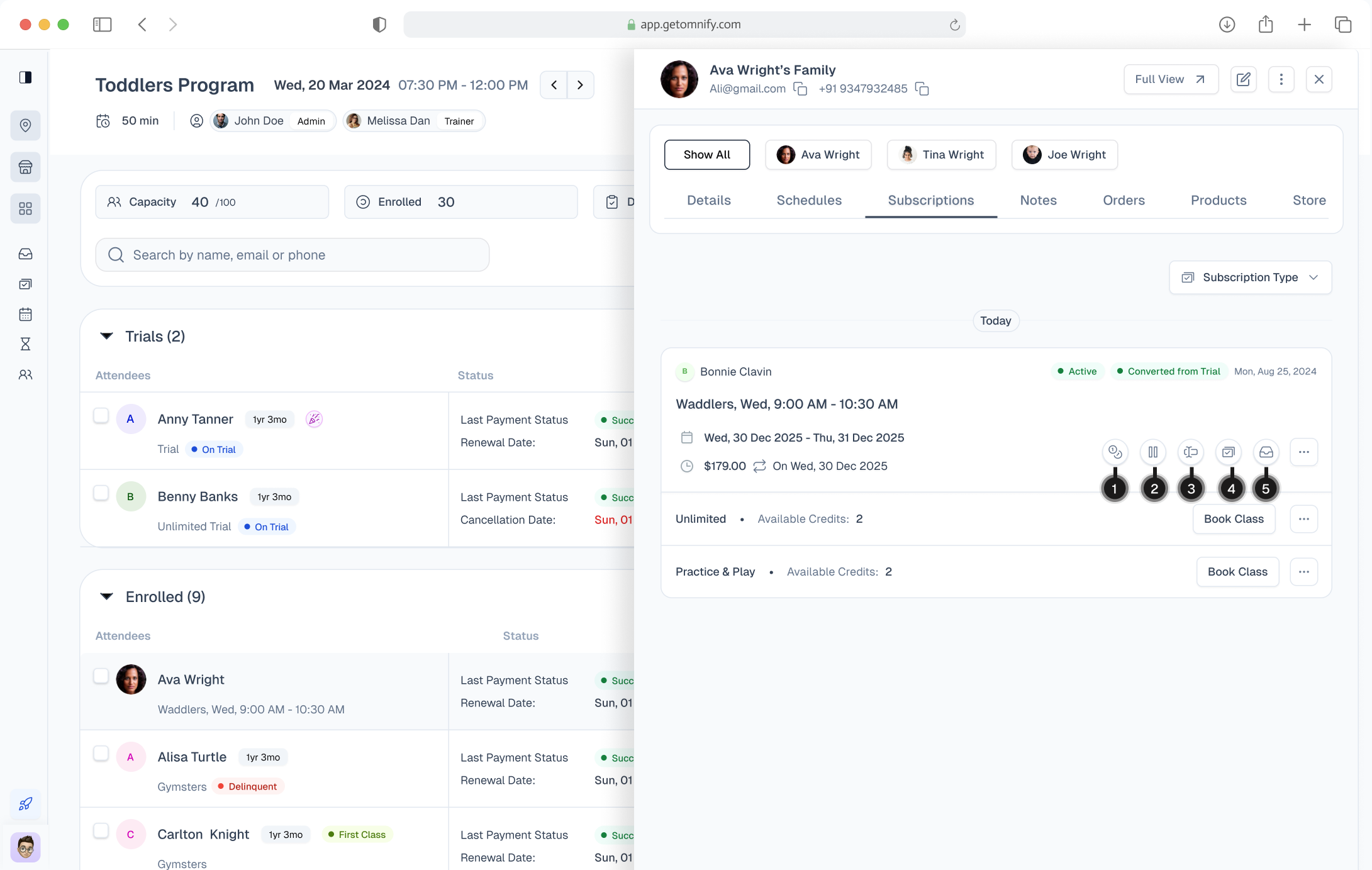
NOW
One Family Profile
- Roster already covers Basic details
- For Direct Bookings: Need access to the specific order and its actions
- For Booked via Subscription: Subscription as source of truth & upfront action
- Ex: For retention of churning customer trainer might extend their subscription. Need to quick reach action to extend renew subscription
DECISION MAKING
What guided the process
01
Challenge
- Trainer is trying to reach one specific information
- Bring all key information - connect Attendance, orders, subscription and client profile
- Also priortize info for serves different type of business and key usecases.
02
Trade Off
- Digital cockpit: where reachability and discoverability outweigh aesthetic minimalism.
- Comparing data in panels is easier but compromising for upfront information
03
Collaboration
- PM: Resolved scope conflict by shipping both solutions in V1, with Family Profile scoped first and expanded in V2.
- Engineering: Avoided delays by simplifying to a single-level panel in V1, with advanced stacking planned later.
- Customer Success: Exchanged trainer research access for a beta rollout brief that helped faster adoption.
04
Validation
- Before launch: Ran usability tests with trainers; key result was faster attendance completion with fewer navigation steps.
- Beta rollout: Released to selected accounts, reviewed session recordings, and gathered feedback through Customer Success.
- Post-launch: Tracked time-on-roster, screens-per-attendee, subscription actions, and drop-offs. Core success metric: trainers no longer leaving the roster.

IMPACT
Core Efficiency Metrics
“ By reducing pre-class check-in time by ~40% (saving ~4–5 minutes per class, from ~10–12 minutes down to ~6–7 minutes). The redesigned roster saves ~3 operational hours per day for a mid-sized kids’ activity franchise running classes daily.Enabling trainers to validate subscriptions, access parent details, and complete actions without leaving the roster”.
↓ 65–75%
Screens visited per attendee
- Considering 4 clicks for subscription to 1 click after
- 5 clicks for order to 1 click and 0 click for parent & contact
↓ 35–45%
Avg pre-class check-in time
- Considering ~10–12 min before to 6-7min after
- Marking attendance, Quick Details & parent/contact reference, Checking notes / special instructions
- Verifying Order details & Verifying subscription validity & Performing inline actions (extend, rebook)
Let’s connect I’m open to product design opportunities and conversations
CONNECT
DOWNLOAD
Resume
Link
Back to Home
Thank You
DESIGNING FOR SPEED
Redesigning Attendance Management to cut Trainer time in half
Short on Time?
Here’s a Quick Walkthrough
About Omnify
- SAAS which helps Service Business(Sports, Recreation, Kids classes, Cooking classes)
- Basically shopify for service business.
- Service Business sells & runs per schedule (timebound).So Schedule management becomes the key offering.EX: Class A: 9AM-10AM, Class B: 11AM-12PM
My role on this project
01
My Role
I was the sole product designer, owning end-to-end — discovery, framing, exploration, final design, and rollout support.
02
PM - 1
On scope, prioritization, research and enterprise customer signals
03
Engineers - 4
I paired closely with the frontend lead on the component framework constraints
04
Customer success - 1
Who gave me direct access to enterprise trainers for shadowing and feedback
What’s Class Attendance Management
What
- Trainers handle multiple classes in a dayEX: Class A: 9AM-10AM, Class B: 11AM-12PM
- Dedicated place to take attendance for each of these classes
Who uses it: Trainers
- Trainers and staff, including gig workers.
- Must be intuitive with minimal learning curve.
Understanding Business Problem
Need
- Attendance is taken at the start or end of class.10–15 minutes to mark 20–30 members—speed is critical.
- Not just Attendance but a operational space for Upsell & Retention as well
How it Started
- Requests to cover more usecases & new enterprise types
- Since all parts of operations are '“Interconnected”
Stake
- Scale of the product and churn
Challenge
DISCOVERY
How I Understood the Problem
01
Trainer shadowing
- Watched recorded sessions with customer success
- Trainers were bottle necked on context-switching
02
Trainer interviews
- PM spoke with trainers across locations
- They were asking for the answer to one question, faster.
03
Support ticket analysis
- With the customer success team, I pulled attendance-related tickets.
- The top three themes were: subscription confusion during class, parent contact friction, and mistakes from child's profile.
Why this matters
Not just for Attendance but a operational space for Upsell & Retention as well. This is tightly coupled to business goal i.e Sell and Save Time
The time cost compounds across:
- Multiple classes per day for each trainer
- Multiple trainers at each location
- 200+ locations for enterprise clients
Product Problem Statement
“Trainers managing back-to-back classes are forced to switch across multiple disconnected surfaces (orders, subscriptions, client profiles), slowing down attendance-taking and increasing the risk of operational errors during time-critical sessions”
Goals
“ Approach this from system thinking by redesigning all the daily operation i.e Attendance Management, orders, subscription and client profile such that to connect & bring all these parts whenever needed.
Exploration:
Direction 1: Inline expansion within the roster row
- Expands like a gmail thread opening
- Why I rejected it:expansions stacked awkwardly with three kids
Direction 2: Full-page roster
- Surface key context in the roster itself, and for deeper exploration send them to a unified Family Profile
- Prototyped and tested as roll back plan
Exploration: Solving through Side Panels
Adopted new design system to facilitate the new redesign
CONSTRAINT
What i was working with
01
Users
- Gig workers
- 40s–50s. Minimal tech fluency.
- The interface needed near-zero learning curve.
02
Timeline
- 2.5+ months for first version.
- Redesign system scope was 5 months.
03
Technical
- Existing codebase with modal heavy architecture.
- New component framework.Minimal Design system
- Side panel stacking needs priority order
04
Risks
- Scanning & prioritizing key data is hard as information load
- Still exploration hence roll back plan
Where I Was Wrong
Missing Operational Context

Trainer’s Center Place for Operation
- 90% of class time
- Upfront information
- Limited panel stacking to just one

Family context was scattered
- When a parent books classes for multiple children
- Payments in parent & Subscription in child

Metrics weren't grounded in behavior
Data needs operational context to drive decisions.
The Pivot: 2 Key Design Decisions
Turning Attendance as Page and the Primary Workspace
- Full-page view for speed—Stays open for the entire class session
- Ex: While taking attendance might need info of if Churning, Payment Issue, Contact details, Payment alerts, Health Notes, Product received or not.
Open Family Profile for all additional details
- Client Profile as centre piece, shows all children in a family
- Ex: For retention of churning customer trainer might extend their subscription. Need to quick reach action to extend renew subscription
BEFORE
Group by stage & minimal columns
- Group By: System-driven stages
- Column: Attendees and their subscription
- Flow: Open Roster → go to profile → go to child profile → check subscription → come back → mark attendance
NOW
Group by booking type & added columns
- Group By: Booking type
- Left Side for Scanning & Right Side for Actions
- Ex: While taking attendance might need info of if Churning, Payment Issue, Contact details, Payment alerts, Health Notes, Product received or not.
- Flow: Stay in roster → open panel → verify + act → mark
BEFORE
Stacking - Panels
- Fragmented Layout: Client profile split into left (info) and right (activity)
- Scattered Family Context
NOW
One Family Profile
- Roster already covers Basic details
- For Direct Bookings: Need access to the specific order and its actions
- For Booked via Subscription: Subscription as source of truth & upfront action
- Ex: For retention of churning customer trainer might extend their subscription. Need to quick reach action to extend renew subscription
DECISION MAKING
What guided the process
01
Challenge
- Trainer is trying to reach one specific information
- Bring all key information - connect Attendance, orders, subscription and client profile
- Also priortize info for serves different type of business and key usecases.
02
Trade Off
- Digital cockpit: where reachability and discoverability outweigh aesthetic minimalism.
- Comparing data in panels is easier but compromising for upfront information
03
Collaboration
- PM: Resolved scope conflict by shipping both solutions in V1, with Family Profile scoped first and expanded in V2.
- Engineering: Avoided delays by simplifying to a single-level panel in V1, with advanced stacking planned later.
- Customer Success: Exchanged trainer research access for a beta rollout brief that helped faster adoption.
04
Validation
- Before launch: Ran usability tests with trainers; key result was faster attendance completion with fewer navigation steps.
- Beta rollout: Released to selected accounts, reviewed session recordings, and gathered feedback through Customer Success.
- Post-launch: Tracked time-on-roster, screens-per-attendee, subscription actions, and drop-offs. Core success metric: trainers no longer leaving the roster.
IMPACT
Core Efficiency Metrics
“ By reducing pre-class check-in time by ~40% (saving ~4–5 minutes per class, from ~10–12 minutes down to ~6–7 minutes). The redesigned roster saves ~3 operational hours per day for a mid-sized kids’ activity franchise running classes daily.Enabling trainers to validate subscriptions, access parent details, and complete actions without leaving the roster”.
↓ 65–75%
Screens visited per attendee
- Considering 4 clicks for subscription to 1 click after
- 5 clicks for order to 1 click and 0 click for parent & contact
↓ 35–45%
Avg pre-class check-in time
- Considering ~10–12 min before to 6-7min after
- Marking attendance, Quick Details & parent/contact reference, Checking notes / special instructions
- Verifying Order details & Verifying subscription validity & Performing inline actions (extend, rebook)
Let’s connect I’m open to product design opportunities and conversations
CONNECT
DOWNLOAD
Resume
Link
Back to Home
Thank You
DESIGNING FOR SPEED
Redesigning Attendance Management to cut Trainer time in half
Short on Time?
Here’s a Quick Walkthrough
About Omnify
- SAAS which helps Service Business(Sports, Recreation, Kids classes, Cooking classes)
- Basically shopify for service business.
- Service Business sells & runs per schedule (timebound).So Schedule management becomes the key offering.EX: Class A: 9AM-10AM, Class B: 11AM-12PM
My role on this project
01
My Role
I was the sole product designer, owning end-to-end — discovery, framing, exploration, final design, and rollout support.
02
PM - 1
On scope, prioritization, research and enterprise customer signals
03
Engineers - 4
I paired closely with the frontend lead on the component framework constraints
04
Customer success - 1
Who gave me direct access to enterprise trainers for shadowing and feedback
What’s Class Attendance Management
What
- Trainers handle multiple classes in a dayEX: Class A: 9AM-10AM, Class B: 11AM-12PM
- Dedicated place to take attendance for each of these classes
Who uses it: Trainers
- Trainers and staff, including gig workers.
- Must be intuitive with minimal learning curve.
Understanding Business Problem
Need
- Attendance is taken at the start or end of class.10–15 minutes to mark 20–30 members—speed is critical.
- Not just Attendance but a operational space for Upsell & Retention as well
How it Started
- Requests to cover more usecases & new enterprise types
- Since all parts of operations are '“Interconnected”
Stake
- Scale of the product and churn
Challenge
DISCOVERY
How I Understood the Problem
01
Trainer shadowing
- Watched recorded sessions with customer success
- Trainers were bottle necked on context-switching
02
Trainer interviews
- PM spoke with trainers across locations
- They were asking for the answer to one question, faster.
03
Support ticket analysis
- With the customer success team, I pulled attendance-related tickets.
- The top three themes were: subscription confusion during class, parent contact friction, and mistakes from child's profile.
Why this matters
Not just for Attendance but a operational space for Upsell & Retention as well. This is tightly coupled to business goal i.e Sell and Save Time
The time cost compounds across:
- Multiple classes per day for each trainer
- Multiple trainers at each location
- 200+ locations for enterprise clients
Product Problem Statement
“Trainers managing back-to-back classes are forced to switch across multiple disconnected surfaces (orders, subscriptions, client profiles), slowing down attendance-taking and increasing the risk of operational errors during time-critical sessions”
Goals
“ Approach this from system thinking by redesigning all the daily operation i.e Attendance Management, orders, subscription and client profile such that to connect & bring all these parts whenever needed.
Exploration:
Direction 1: Inline expansion within the roster row
- Expands like a gmail thread opening
- Why I rejected it:expansions stacked awkwardly with three kids
Direction 2: Full-page roster
- Surface key context in the roster itself, and for deeper exploration send them to a unified Family Profile
- Prototyped and tested as roll back plan
Exploration: Solving through Side Panels
Adopted new design system to facilitate the new redesign
CONSTRAINT
What i was working with
01
Users
- Gig workers
- 40s–50s. Minimal tech fluency.
- The interface needed near-zero learning curve.
02
Timeline
- 2.5+ months for first version.
- Redesign system scope was 5 months.
03
Technical
- Existing codebase with modal heavy architecture.
- New component framework.Minimal Design system
- Side panel stacking needs priority order
04
Risks
- Scanning & prioritizing key data is hard as information load
- Still exploration hence roll back plan
Where I Was Wrong
Missing Operational Context

Trainer’s Center Place for Operation
- 90% of class time
- Upfront information
- Limited panel stacking to just one

Family context was scattered
- When a parent books classes for multiple children
- Payments in parent & Subscription in child

Metrics weren't grounded in behavior
Data needs operational context to drive decisions.
The Pivot: 2 Key Design Decisions
Turning Attendance as Page and the Primary Workspace
- Full-page view for speed—Stays open for the entire class session
- Ex: While taking attendance might need info of if Churning, Payment Issue, Contact details, Payment alerts, Health Notes, Product received or not.
Open Family Profile for all additional details
- Client Profile as centre piece, shows all children in a family
- Ex: For retention of churning customer trainer might extend their subscription. Need to quick reach action to extend renew subscription
BEFORE
Group by stage & minimal columns
- Group By: System-driven stages
- Column: Attendees and their subscription
- Flow: Open Roster → go to profile → go to child profile → check subscription → come back → mark attendance
NOW
Group by booking type & added columns
- Group By: Booking type
- Left Side for Scanning & Right Side for Actions
- Ex: While taking attendance might need info of if Churning, Payment Issue, Contact details, Payment alerts, Health Notes, Product received or not.
- Flow: Stay in roster → open panel → verify + act → mark
BEFORE
Stacking - Panels
- Fragmented Layout: Client profile split into left (info) and right (activity)
- Scattered Family Context
NOW
One Family Profile
- Roster already covers Basic details
- For Direct Bookings: Need access to the specific order and its actions
- For Booked via Subscription: Subscription as source of truth & upfront action
- Ex: For retention of churning customer trainer might extend their subscription. Need to quick reach action to extend renew subscription
DECISION MAKING
What guided the process
01
Challenge
- Trainer is trying to reach one specific information
- Bring all key information - connect Attendance, orders, subscription and client profile
- Also priortize info for serves different type of business and key usecases.
02
Trade Off
- Digital cockpit: where reachability and discoverability outweigh aesthetic minimalism.
- Comparing data in panels is easier but compromising for upfront information
03
Collaboration
- PM: Resolved scope conflict by shipping both solutions in V1, with Family Profile scoped first and expanded in V2.
- Engineering: Avoided delays by simplifying to a single-level panel in V1, with advanced stacking planned later.
- Customer Success: Exchanged trainer research access for a beta rollout brief that helped faster adoption.
04
Validation
- Before launch: Ran usability tests with trainers; key result was faster attendance completion with fewer navigation steps.
- Beta rollout: Released to selected accounts, reviewed session recordings, and gathered feedback through Customer Success.
- Post-launch: Tracked time-on-roster, screens-per-attendee, subscription actions, and drop-offs. Core success metric: trainers no longer leaving the roster.
IMPACT
Core Efficiency Metrics
“ By reducing pre-class check-in time by ~40% (saving ~4–5 minutes per class, from ~10–12 minutes down to ~6–7 minutes). The redesigned roster saves ~3 operational hours per day for a mid-sized kids’ activity franchise running classes daily.Enabling trainers to validate subscriptions, access parent details, and complete actions without leaving the roster”.
↓ 65–75%
Screens visited per attendee
- Considering 4 clicks for subscription to 1 click after
- 5 clicks for order to 1 click and 0 click for parent & contact
↓ 35–45%
Avg pre-class check-in time
- Considering ~10–12 min before to 6-7min after
- Marking attendance, Quick Details & parent/contact reference, Checking notes / special instructions
- Verifying Order details & Verifying subscription validity & Performing inline actions (extend, rebook)
Let’s connect I’m open to product design opportunities and conversations
CONNECT
DOWNLOAD
Resume
Link
Back to Home
Thank You
DESIGNING FOR SPEED
Redesigning Attendance Management to cut Trainer time in half
Short on Time?
Here’s a Quick Walkthrough
About Omnify
- SAAS which helps Service Business(Sports, Recreation, Kids classes, Cooking classes)
- Basically shopify for service business.
- Service Business sells & runs per schedule (timebound).So Schedule management becomes the key offering.EX: Class A: 9AM-10AM, Class B: 11AM-12PM
My role on this project
01
My Role
I was the sole product designer, owning end-to-end — discovery, framing, exploration, final design, and rollout support.
02
PM - 1
On scope, prioritization, research and enterprise customer signals
03
Engineers - 4
I paired closely with the frontend lead on the component framework constraints
04
Customer success - 1
Who gave me direct access to enterprise trainers for shadowing and feedback
What’s Class Attendance Management
What
- Trainers handle multiple classes in a dayEX: Class A: 9AM-10AM, Class B: 11AM-12PM
- Dedicated place to take attendance for each of these classes
Who uses it: Trainers
- Trainers and staff, including gig workers.
- Must be intuitive with minimal learning curve.
Understanding Business Problem
Need
- Attendance is taken at the start or end of class.10–15 minutes to mark 20–30 members—speed is critical.
- Not just Attendance but a operational space for Upsell & Retention as well
How it Started
- Requests to cover more usecases & new enterprise types
- Since all parts of operations are '“Interconnected”
Stake
- Scale of the product and churn
Challenge
DISCOVERY
How I Understood the Problem
01
Trainer shadowing
- Watched recorded sessions with customer success
- Trainers were bottle necked on context-switching
02
Trainer interviews
- PM spoke with trainers across locations
- They were asking for the answer to one question, faster.
03
Support ticket analysis
- With the customer success team, I pulled attendance-related tickets.
- The top three themes were: subscription confusion during class, parent contact friction, and mistakes from child's profile.
Why this matters
Not just for Attendance but a operational space for Upsell & Retention as well. This is tightly coupled to business goal i.e Sell and Save Time
The time cost compounds across:
- Multiple classes per day for each trainer
- Multiple trainers at each location
- 200+ locations for enterprise clients
Product Problem Statement
“Trainers managing back-to-back classes are forced to switch across multiple disconnected surfaces (orders, subscriptions, client profiles), slowing down attendance-taking and increasing the risk of operational errors during time-critical sessions”
Goals
“ Approach this from system thinking by redesigning all the daily operation i.e Attendance Management, orders, subscription and client profile such that to connect & bring all these parts whenever needed.
Exploration:
Direction 1: Inline expansion within the roster row
- Expands like a gmail thread opening
- Why I rejected it:expansions stacked awkwardly with three kids
Direction 2: Full-page roster
- Surface key context in the roster itself, and for deeper exploration send them to a unified Family Profile
- Prototyped and tested as roll back plan
Exploration: Solving through Side Panels
Adopted new design system to facilitate the new redesign
CONSTRAINT
What i was working with
01
Users
- Gig workers
- 40s–50s. Minimal tech fluency.
- The interface needed near-zero learning curve.
02
Timeline
- 2.5+ months for first version.
- Redesign system scope was 5 months.
03
Technical
- Existing codebase with modal heavy architecture.
- New component framework.Minimal Design system
- Side panel stacking needs priority order
04
Risks
- Scanning & prioritizing key data is hard as information load
- Still exploration hence roll back plan
Where I Was Wrong
Missing Operational Context

Trainer’s Center Place for Operation
- 90% of class time
- Upfront information
- Limited panel stacking to just one

Family context was scattered
- When a parent books classes for multiple children
- Payments in parent & Subscription in child

Metrics weren't grounded in behavior
Data needs operational context to drive decisions.
The Pivot: 2 Key Design Decisions
Turning Attendance as Page and the Primary Workspace
- Full-page view for speed—Stays open for the entire class session
- Ex: While taking attendance might need info of if Churning, Payment Issue, Contact details, Payment alerts, Health Notes, Product received or not.
Open Family Profile for all additional details
- Client Profile as centre piece, shows all children in a family
- Ex: For retention of churning customer trainer might extend their subscription. Need to quick reach action to extend renew subscription
BEFORE
Group by stage & minimal columns
- Group By: System-driven stages
- Column: Attendees and their subscription
- Flow: Open Roster → go to profile → go to child profile → check subscription → come back → mark attendance
NOW
Group by booking type & added columns
- Group By: Booking type
- Left Side for Scanning & Right Side for Actions
- Ex: While taking attendance might need info of if Churning, Payment Issue, Contact details, Payment alerts, Health Notes, Product received or not.
- Flow: Stay in roster → open panel → verify + act → mark
BEFORE
Stacking - Panels
- Fragmented Layout: Client profile split into left (info) and right (activity)
- Scattered Family Context
NOW
One Family Profile
- Roster already covers Basic details
- For Direct Bookings: Need access to the specific order and its actions
- For Booked via Subscription: Subscription as source of truth & upfront action
- Ex: For retention of churning customer trainer might extend their subscription. Need to quick reach action to extend renew subscription
DECISION MAKING
What guided the process
01
Challenge
- Trainer is trying to reach one specific information
- Bring all key information - connect Attendance, orders, subscription and client profile
- Also priortize info for serves different type of business and key usecases.
02
Trade Off
- Digital cockpit: where reachability and discoverability outweigh aesthetic minimalism.
- Comparing data in panels is easier but compromising for upfront information
03
Collaboration
- PM: Resolved scope conflict by shipping both solutions in V1, with Family Profile scoped first and expanded in V2.
- Engineering: Avoided delays by simplifying to a single-level panel in V1, with advanced stacking planned later.
- Customer Success: Exchanged trainer research access for a beta rollout brief that helped faster adoption.
04
Validation
- Before launch: Ran usability tests with trainers; key result was faster attendance completion with fewer navigation steps.
- Beta rollout: Released to selected accounts, reviewed session recordings, and gathered feedback through Customer Success.
- Post-launch: Tracked time-on-roster, screens-per-attendee, subscription actions, and drop-offs. Core success metric: trainers no longer leaving the roster.
IMPACT
Core Efficiency Metrics
“ By reducing pre-class check-in time by ~40% (saving ~4–5 minutes per class, from ~10–12 minutes down to ~6–7 minutes). The redesigned roster saves ~3 operational hours per day for a mid-sized kids’ activity franchise running classes daily.Enabling trainers to validate subscriptions, access parent details, and complete actions without leaving the roster”.
↓ 65–75%
Screens visited per attendee
- Considering 4 clicks for subscription to 1 click after
- 5 clicks for order to 1 click and 0 click for parent & contact
↓ 35–45%
Avg pre-class check-in time
- Considering ~10–12 min before to 6-7min after
- Marking attendance, Quick Details & parent/contact reference, Checking notes / special instructions
- Verifying Order details & Verifying subscription validity & Performing inline actions (extend, rebook)
Let’s connect I’m open to product design opportunities and conversations
CONNECT
DOWNLOAD
Resume
Link
Back to Home
Thank You
DESIGNING FOR SPEED
Redesigning Attendance Management to cut Trainer time in half
Short on Time?
Here’s a Quick Walkthrough
About Omnify
- SAAS which helps Service Business(Sports, Recreation, Kids classes, Cooking classes)
- Basically shopify for service business.
- Service Business sells & runs per schedule (timebound).So Schedule management becomes the key offering.EX: Class A: 9AM-10AM, Class B: 11AM-12PM
My role on this project
01
My Role
I was the sole product designer, owning end-to-end — discovery, framing, exploration, final design, and rollout support.
02
PM - 1
On scope, prioritization, research and enterprise customer signals
03
Engineers - 4
I paired closely with the frontend lead on the component framework constraints
04
Customer success - 1
Who gave me direct access to enterprise trainers for shadowing and feedback
What’s Class Attendance Management
What
- Trainers handle multiple classes in a dayEX: Class A: 9AM-10AM, Class B: 11AM-12PM
- Dedicated place to take attendance for each of these classes
Who uses it: Trainers
- Trainers and staff, including gig workers.
- Must be intuitive with minimal learning curve.
Understanding Business Problem
Need
- Attendance is taken at the start or end of class.10–15 minutes to mark 20–30 members—speed is critical.
- Not just Attendance but a operational space for Upsell & Retention as well
How it Started
- Requests to cover more usecases & new enterprise types
- Since all parts of operations are '“Interconnected”
Stake
- Scale of the product and churn
Challenge
DISCOVERY
How I Understood the Problem
01
Trainer shadowing
- Watched recorded sessions with customer success
- Trainers were bottle necked on context-switching
02
Trainer interviews
- PM spoke with trainers across locations
- They were asking for the answer to one question, faster.
03
Support ticket analysis
- With the customer success team, I pulled attendance-related tickets.
- The top three themes were: subscription confusion during class, parent contact friction, and mistakes from child's profile.
Why this matters
Not just for Attendance but a operational space for Upsell & Retention as well. This is tightly coupled to business goal i.e Sell and Save Time
The time cost compounds across:
- Multiple classes per day for each trainer
- Multiple trainers at each location
- 200+ locations for enterprise clients
Product Problem Statement
“Trainers managing back-to-back classes are forced to switch across multiple disconnected surfaces (orders, subscriptions, client profiles), slowing down attendance-taking and increasing the risk of operational errors during time-critical sessions”
Goals
“ Approach this from system thinking by redesigning all the daily operation i.e Attendance Management, orders, subscription and client profile such that to connect & bring all these parts whenever needed.
Exploration:
Direction 1: Inline expansion within the roster row
- Expands like a gmail thread opening
- Why I rejected it:expansions stacked awkwardly with three kids
Direction 2: Full-page roster
- Surface key context in the roster itself, and for deeper exploration send them to a unified Family Profile
- Prototyped and tested as roll back plan
Exploration: Solving through Side Panels
Adopted new design system to facilitate the new redesign
- Inspiration
- Why it works?
- Multiple Entry Points
- Interaction
- Design System
CONSTRAINT
What i was working with
01
Users
- Gig workers
- 40s–50s. Minimal tech fluency.
- The interface needed near-zero learning curve.
02
Timeline
- 2.5+ months for first version.
- Redesign system scope was 5 months.
03
Technical
- Existing codebase with modal heavy architecture.
- New component framework.Minimal Design system
- Side panel stacking needs priority order
04
Risks
- Scanning & prioritizing key data is hard as information load
- Still exploration hence roll back plan
Where I Was Wrong
Missing Operational Context

Trainer’s Center Place for Operation
- 90% of class time
- Upfront information
- Limited panel stacking to just one

Family context was scattered
- When a parent books classes for multiple children
- Payments in parent & Subscription in child

Metrics weren't grounded in behavior
Data needs operational context to drive decisions.
The Pivot: 2 Key Design Decisions
Turning Attendance as Page and the Primary Workspace
- Full-page view for speed—Stays open for the entire class session
- Ex: While taking attendance might need info of if Churning, Payment Issue, Contact details, Payment alerts, Health Notes, Product received or not.
Open Family Profile for all additional details
- Client Profile as centre piece, shows all children in a family
- Ex: For retention of churning customer trainer might extend their subscription. Need to quick reach action to extend renew subscription

BEFORE
Group by stage & minimal columns
- Group By: System-driven stages
- Column: Attendees and their subscription
- Flow: Open Roster → go to profile → go to child profile → check subscription → come back → mark attendance
NOW
Group by booking type & added columns
- Group By: Booking type
- Left Side for Scanning & Right Side for Actions
- Ex: While taking attendance might need info of if Churning, Payment Issue, Contact details, Payment alerts, Health Notes, Product received or not.
- Flow: Stay in roster → open panel → verify + act → mark
BEFORE
Stacking - Panels
- Fragmented Layout: Client profile split into left (info) and right (activity)
- Scattered Family Context
NOW
One Family Profile
- Roster already covers Basic details
- For Direct Bookings: Need access to the specific order and its actions
- For Booked via Subscription: Subscription as source of truth & upfront action
- Ex: For retention of churning customer trainer might extend their subscription. Need to quick reach action to extend renew subscription
DECISION MAKING
What guided the process
01
Challenge
- Trainer is trying to reach one specific information
- Bring all key information - connect Attendance, orders, subscription and client profile
- Also priortize info for serves different type of business and key usecases.
02
Trade Off
- Digital cockpit: where reachability and discoverability outweigh aesthetic minimalism.
- Comparing data in panels is easier but compromising for upfront information
03
Collaboration
- PM: Resolved scope conflict by shipping both solutions in V1, with Family Profile scoped first and expanded in V2.
- Engineering: Avoided delays by simplifying to a single-level panel in V1, with advanced stacking planned later.
- Customer Success: Exchanged trainer research access for a beta rollout brief that helped faster adoption.
04
Validation
- Before launch: Ran usability tests with trainers; key result was faster attendance completion with fewer navigation steps.
- Beta rollout: Released to selected accounts, reviewed session recordings, and gathered feedback through Customer Success.
- Post-launch: Tracked time-on-roster, screens-per-attendee, subscription actions, and drop-offs. Core success metric: trainers no longer leaving the roster.
IMPACT
Core Efficiency Metrics
“ By reducing pre-class check-in time by ~40% (saving ~4–5 minutes per class, from ~10–12 minutes down to ~6–7 minutes). The redesigned roster saves ~3 operational hours per day for a mid-sized kids’ activity franchise running classes daily.Enabling trainers to validate subscriptions, access parent details, and complete actions without leaving the roster”.
↓ 65–75%
Screens visited per attendee
- Considering 4 clicks for subscription to 1 click after
- 5 clicks for order to 1 click and 0 click for parent & contact
↓ 35–45%
Avg pre-class check-in time
- Considering ~10–12 min before to 6-7min after
- Marking attendance, Quick Details & parent/contact reference, Checking notes / special instructions
- Verifying Order details & Verifying subscription validity & Performing inline actions (extend, rebook)
Let’s connect I’m open to product design opportunities and conversations
CONNECT
DOWNLOAD
Resume
Link
Back to Home
Thank You
DESIGNING FOR SPEED
Redesigning Attendance Management to cut Trainer time in half
Short on Time?
Here’s a Quick Walkthrough
About Omnify
- SAAS which helps Service Business(Sports, Recreation, Kids classes, Cooking classes)
- Basically shopify for service business.
- Service Business sells & runs per schedule (timebound).So Schedule management becomes the key offering.EX: Class A: 9AM-10AM, Class B: 11AM-12PM
My role on this project
01
My Role
I was the sole product designer, owning end-to-end — discovery, framing, exploration, final design, and rollout support.
02
PM - 1
On scope, prioritization, research and enterprise customer signals
03
Engineers - 4
I paired closely with the frontend lead on the component framework constraints
04
Customer success - 1
Who gave me direct access to enterprise trainers for shadowing and feedback
What’s Class Attendance Management
What
- Trainers handle multiple classes in a dayEX: Class A: 9AM-10AM, Class B: 11AM-12PM
- Dedicated place to take attendance for each of these classes
Who uses it: Trainers
- Trainers and staff, including gig workers.
- Must be intuitive with minimal learning curve.
Understanding Business Problem
Need
- Attendance is taken at the start or end of class.10–15 minutes to mark 20–30 members—speed is critical.
- Not just Attendance but a operational space for Upsell & Retention as well
How it Started
- Requests to cover more usecases & new enterprise types
- Since all parts of operations are '“Interconnected”
Stake
- Scale of the product and churn
Challenge
DISCOVERY
How I Understood the Problem
01
Trainer shadowing
- Watched recorded sessions with customer success
- Trainers were bottle necked on context-switching
02
Trainer interviews
- PM spoke with trainers across locations
- They were asking for the answer to one question, faster.
03
Support ticket analysis
- With the customer success team, I pulled attendance-related tickets.
- The top three themes were: subscription confusion during class, parent contact friction, and mistakes from child's profile.
Why this matters
Not just for Attendance but a operational space for Upsell & Retention as well. This is tightly coupled to business goal i.e Sell and Save Time
The time cost compounds across:
- Multiple classes per day for each trainer
- Multiple trainers at each location
- 200+ locations for enterprise clients
Product Problem Statement
“Trainers managing back-to-back classes are forced to switch across multiple disconnected surfaces (orders, subscriptions, client profiles), slowing down attendance-taking and increasing the risk of operational errors during time-critical sessions”
Goals
“ Approach this from system thinking by redesigning all the daily operation i.e Attendance Management, orders, subscription and client profile such that to connect & bring all these parts whenever needed.
Exploration:
Direction 1: Inline expansion within the roster row
- Expands like a gmail thread opening
- Why I rejected it:expansions stacked awkwardly with three kids
Direction 2: Full-page roster
- Surface key context in the roster itself, and for deeper exploration send them to a unified Family Profile
- Prototyped and tested as roll back plan
Exploration: Solving through Side Panels
Adopted new design system to facilitate the new redesign
- Inspiration
- Why it works?
- Multiple Entry Points
- Interaction
- Design System
CONSTRAINT
What i was working with
01
Users
- Gig workers
- 40s–50s. Minimal tech fluency.
- The interface needed near-zero learning curve.
02
Timeline
- 2.5+ months for first version.
- Redesign system scope was 5 months.
03
Technical
- Existing codebase with modal heavy architecture.
- New component framework.Minimal Design system
- Side panel stacking needs priority order
04
Risks
- Scanning & prioritizing key data is hard as information load
- Still exploration hence roll back plan
Where I Was Wrong
Missing Operational Context

Trainer’s Center Place for Operation
- 90% of class time
- Upfront information
- Limited panel stacking to just one

Family context was scattered
- When a parent books classes for multiple children
- Payments in parent & Subscription in child

Metrics weren't grounded in behavior
Data needs operational context to drive decisions.
The Pivot: 2 Key Design Decisions
Turning Attendance as Page and the Primary Workspace
- Full-page view for speed—Stays open for the entire class session
- Ex: While taking attendance might need info of if Churning, Payment Issue, Contact details, Payment alerts, Health Notes, Product received or not.
Open Family Profile for all additional details
- Client Profile as centre piece, shows all children in a family
- Ex: For retention of churning customer trainer might extend their subscription. Need to quick reach action to extend renew subscription
BEFORE
Group by stage & minimal columns
- Group By: System-driven stages
- Column: Attendees and their subscription
- Flow: Open Roster → go to profile → go to child profile → check subscription → come back → mark attendance
NOW
Group by booking type & added columns
- Group By: Booking type
- Left Side for Scanning & Right Side for Actions
- Ex: While taking attendance might need info of if Churning, Payment Issue, Contact details, Payment alerts, Health Notes, Product received or not.
- Flow: Stay in roster → open panel → verify + act → mark
BEFORE
Stacking - Panels
- Fragmented Layout: Client profile split into left (info) and right (activity)
- Scattered Family Context
NOW
One Family Profile
- Roster already covers Basic details
- For Direct Bookings: Need access to the specific order and its actions
- For Booked via Subscription: Subscription as source of truth & upfront action
- Ex: For retention of churning customer trainer might extend their subscription. Need to quick reach action to extend renew subscription
DECISION MAKING
What guided the process
01
Challenge
- Trainer is trying to reach one specific information
- Bring all key information - connect Attendance, orders, subscription and client profile
- Also priortize info for serves different type of business and key usecases.
02
Trade Off
- Digital cockpit: where reachability and discoverability outweigh aesthetic minimalism.
- Comparing data in panels is easier but compromising for upfront information
03
Collaboration
- PM: Resolved scope conflict by shipping both solutions in V1, with Family Profile scoped first and expanded in V2.
- Engineering: Avoided delays by simplifying to a single-level panel in V1, with advanced stacking planned later.
- Customer Success: Exchanged trainer research access for a beta rollout brief that helped faster adoption.
04
Validation
- Before launch: Ran usability tests with trainers; key result was faster attendance completion with fewer navigation steps.
- Beta rollout: Released to selected accounts, reviewed session recordings, and gathered feedback through Customer Success.
- Post-launch: Tracked time-on-roster, screens-per-attendee, subscription actions, and drop-offs. Core success metric: trainers no longer leaving the roster.
IMPACT
Core Efficiency Metrics
“ By reducing pre-class check-in time by ~40% (saving ~4–5 minutes per class, from ~10–12 minutes down to ~6–7 minutes). The redesigned roster saves ~3 operational hours per day for a mid-sized kids’ activity franchise running classes daily.Enabling trainers to validate subscriptions, access parent details, and complete actions without leaving the roster”.
↓ 65–75%
Screens visited per attendee
- Considering 4 clicks for subscription to 1 click after
- 5 clicks for order to 1 click and 0 click for parent & contact
↓ 35–45%
Avg pre-class check-in time
- Considering ~10–12 min before to 6-7min after
- Marking attendance, Quick Details & parent/contact reference, Checking notes / special instructions
- Verifying Order details & Verifying subscription validity & Performing inline actions (extend, rebook)
Let’s connect I’m open to product design opportunities and conversations
CONNECT
DOWNLOAD
Resume
Link
Back to Home
Thank You
DESIGNING FOR SPEED
Redesigning Attendance Management to cut Trainer time in half
Short on Time?
Here’s a Quick Walkthrough
About Omnify
- SAAS which helps Service Business(Sports, Recreation, Kids classes, Cooking classes)
- Basically shopify for service business.
- Service Business sells & runs per schedule (timebound).So Schedule management becomes the key offering.EX: Class A: 9AM-10AM, Class B: 11AM-12PM
My role on this project
01
My Role
I was the sole product designer, owning end-to-end — discovery, framing, exploration, final design, and rollout support.
02
PM - 1
On scope, prioritization, research and enterprise customer signals
03
Engineers - 4
I paired closely with the frontend lead on the component framework constraints
04
Customer success - 1
Who gave me direct access to enterprise trainers for shadowing and feedback
What’s Class Attendance Management
What
- Trainers handle multiple classes in a dayEX: Class A: 9AM-10AM, Class B: 11AM-12PM
- Dedicated place to take attendance for each of these classes
Who uses it: Trainers
- Trainers and staff, including gig workers.
- Must be intuitive with minimal learning curve.
Understanding Business Problem
Need
- Attendance is taken at the start or end of class.10–15 minutes to mark 20–30 members—speed is critical.
- Not just Attendance but a operational space for Upsell & Retention as well
How it Started
- Requests to cover more usecases & new enterprise types
- Since all parts of operations are '“Interconnected”
Stake
- Scale of the product and churn
Challenge
DISCOVERY
How I Understood the Problem
01
Trainer shadowing
- Watched recorded sessions with customer success
- Trainers were bottle necked on context-switching
02
Trainer interviews
- PM spoke with trainers across locations
- They were asking for the answer to one question, faster.
03
Support ticket analysis
- With the customer success team, I pulled attendance-related tickets.
- The top three themes were: subscription confusion during class, parent contact friction, and mistakes from child's profile.
Why this matters
Not just for Attendance but a operational space for Upsell & Retention as well. This is tightly coupled to business goal i.e Sell and Save Time
The time cost compounds across:
- Multiple classes per day for each trainer
- Multiple trainers at each location
- 200+ locations for enterprise clients
Product Problem Statement
“Trainers managing back-to-back classes are forced to switch across multiple disconnected surfaces (orders, subscriptions, client profiles), slowing down attendance-taking and increasing the risk of operational errors during time-critical sessions”
Goals
“ Approach this from system thinking by redesigning all the daily operation i.e Attendance Management, orders, subscription and client profile such that to connect & bring all these parts whenever needed.
Exploration:
Direction 1: Inline expansion within the roster row
- Expands like a gmail thread opening
- Why I rejected it:expansions stacked awkwardly with three kids
Direction 2: Full-page roster
- Surface key context in the roster itself, and for deeper exploration send them to a unified Family Profile
- Prototyped and tested as roll back plan
Exploration: Solving through Side Panels
Adopted new design system to facilitate the new redesign
- Inspiration
- Why it works?
- Multiple Entry Points
- Interaction
- Design System
CONSTRAINT
What i was working with
01
Users
- Gig workers
- 40s–50s. Minimal tech fluency.
- The interface needed near-zero learning curve.
02
Timeline
- 2.5+ months for first version.
- Redesign system scope was 5 months.
03
Technical
- Existing codebase with modal heavy architecture.
- New component framework.Minimal Design system
- Side panel stacking needs priority order
04
Risks
- Scanning & prioritizing key data is hard as information load
- Still exploration hence roll back plan
Where I Was Wrong
Missing Operational Context

Trainer’s Center Place for Operation
- 90% of class time
- Upfront information
- Limited panel stacking to just one

Family context was scattered
- When a parent books classes for multiple children
- Payments in parent & Subscription in child

Metrics weren't grounded in behavior
Data needs operational context to drive decisions.
The Pivot: 2 Key Design Decisions
Turning Attendance as Page and the Primary Workspace
- Full-page view for speed—Stays open for the entire class session
- Ex: While taking attendance might need info of if Churning, Payment Issue, Contact details, Payment alerts, Health Notes, Product received or not.
Open Family Profile for all additional details
- Client Profile as centre piece, shows all children in a family
- Ex: For retention of churning customer trainer might extend their subscription. Need to quick reach action to extend renew subscription
BEFORE
Group by stage & minimal columns
- Group By: System-driven stages
- Column: Attendees and their subscription
- Flow: Open Roster → go to profile → go to child profile → check subscription → come back → mark attendance
NOW
Group by booking type & added columns
- Group By: Booking type
- Left Side for Scanning & Right Side for Actions
- Ex: While taking attendance might need info of if Churning, Payment Issue, Contact details, Payment alerts, Health Notes, Product received or not.
- Flow: Stay in roster → open panel → verify + act → mark
BEFORE
Stacking - Panels
- Fragmented Layout: Client profile split into left (info) and right (activity)
- Scattered Family Context
NOW
One Family Profile
- Roster already covers Basic details
- For Direct Bookings: Need access to the specific order and its actions
- For Booked via Subscription: Subscription as source of truth & upfront action
- Ex: For retention of churning customer trainer might extend their subscription. Need to quick reach action to extend renew subscription
DECISION MAKING
What guided the process
01
Challenge
- Trainer is trying to reach one specific information
- Bring all key information - connect Attendance, orders, subscription and client profile
- Also priortize info for serves different type of business and key usecases.
02
Trade Off
- Digital cockpit: where reachability and discoverability outweigh aesthetic minimalism.
- Comparing data in panels is easier but compromising for upfront information
03
Collaboration
- PM: Resolved scope conflict by shipping both solutions in V1, with Family Profile scoped first and expanded in V2.
- Engineering: Avoided delays by simplifying to a single-level panel in V1, with advanced stacking planned later.
- Customer Success: Exchanged trainer research access for a beta rollout brief that helped faster adoption.
04
Validation
- Before launch: Ran usability tests with trainers; key result was faster attendance completion with fewer navigation steps.
- Beta rollout: Released to selected accounts, reviewed session recordings, and gathered feedback through Customer Success.
- Post-launch: Tracked time-on-roster, screens-per-attendee, subscription actions, and drop-offs. Core success metric: trainers no longer leaving the roster.
IMPACT
Core Efficiency Metrics
“ By reducing pre-class check-in time by ~40% (saving ~4–5 minutes per class, from ~10–12 minutes down to ~6–7 minutes). The redesigned roster saves ~3 operational hours per day for a mid-sized kids’ activity franchise running classes daily.Enabling trainers to validate subscriptions, access parent details, and complete actions without leaving the roster”.
↓ 65–75%
Screens visited per attendee
- Considering 4 clicks for subscription to 1 click after
- 5 clicks for order to 1 click and 0 click for parent & contact
↓ 35–45%
Avg pre-class check-in time
- Considering ~10–12 min before to 6-7min after
- Marking attendance, Quick Details & parent/contact reference, Checking notes / special instructions
- Verifying Order details & Verifying subscription validity & Performing inline actions (extend, rebook)
Let’s connect I’m open to product design opportunities and conversations
CONNECT
DOWNLOAD
Resume
Link
Back to Home
Thank You
DESIGNING FOR SPEED
Redesigning Attendance Management to cut Trainer time in half
Short on Time?
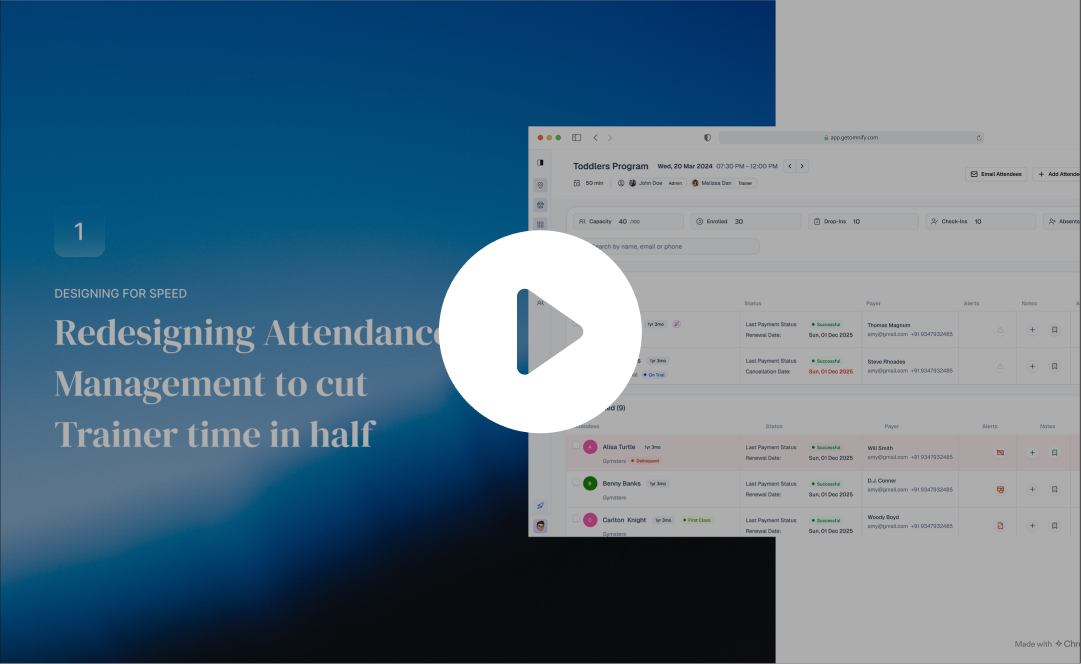
Here’s a Quick Walkthrough
About Omnify
- SAAS which helps Service Business(Sports, Recreation, Kids classes, Cooking classes)
- Basically shopify for service business.
- Service Business sells & runs per schedule (timebound).So Schedule management becomes the key offering.EX: Class A: 9AM-10AM, Class B: 11AM-12PM
My role on this project
01
My Role
I was the sole product designer, owning end-to-end — discovery, framing, exploration, final design, and rollout support.
02
PM - 1
On scope, prioritization, research and enterprise customer signals
03
Engineers - 4
I paired closely with the frontend lead on the component framework constraints
04
Customer success - 1
Who gave me direct access to enterprise trainers for shadowing and feedback
What’s Class Attendance Management
What
- Trainers handle multiple classes in a dayEX: Class A: 9AM-10AM, Class B: 11AM-12PM
- Dedicated place to take attendance for each of these classes
Who uses it: Trainers
- Trainers and staff, including gig workers.
- Must be intuitive with minimal learning curve.
Understanding Business Problem
Need
- Attendance is taken at the start or end of class.10–15 minutes to mark 20–30 members—speed is critical.
- Not just Attendance but a operational space for Upsell & Retention as well
How it Started
- Requests to cover more usecases & new enterprise types
- Since all parts of operations are '“Interconnected”
Stake
- Scale of the product and churn
Challenge
DISCOVERY
How I Understood the Problem
01
Trainer shadowing
- Watched recorded sessions with customer success
- Trainers were bottle necked on context-switching
02
Trainer interviews
- PM spoke with trainers across locations
- They were asking for the answer to one question, faster.
03
Support ticket analysis
- With the customer success team, I pulled attendance-related tickets.
- The top three themes were: subscription confusion during class, parent contact friction, and mistakes from child's profile.
Why this matters
Not just for Attendance but a operational space for Upsell & Retention as well. This is tightly coupled to business goal i.e Sell and Save Time
The time cost compounds across:
- Multiple classes per day for each trainer
- Multiple trainers at each location
- 200+ locations for enterprise clients
Product Problem Statement
“Trainers managing back-to-back classes are forced to switch across multiple disconnected surfaces (orders, subscriptions, client profiles), slowing down attendance-taking and increasing the risk of operational errors during time-critical sessions”
Goals
“ Approach this from system thinking by redesigning all the daily operation i.e Attendance Management, orders, subscription and client profile such that to connect & bring all these parts whenever needed.
Exploration:
Direction 1: Inline expansion within the roster row
- Expands like a gmail thread opening
- Why I rejected it:expansions stacked awkwardly with three kids
Direction 2: Full-page roster
- Surface key context in the roster itself, and for deeper exploration send them to a unified Family Profile
- Prototyped and tested as roll back plan
Exploration: Solving through Side Panels
Adopted new design system to facilitate the new redesign
- Inspiration
- Why it works?
- Multiple Entry Points
- Interaction
- Design System
CONSTRAINT
What i was working with
01
Users
- Gig workers
- 40s–50s. Minimal tech fluency.
- The interface needed near-zero learning curve.
02
Timeline
- 2.5+ months for first version.
- Redesign system scope was 5 months.
03
Technical
- Existing codebase with modal heavy architecture.
- New component framework.Minimal Design system
- Side panel stacking needs priority order
04
Risks
- Scanning & prioritizing key data is hard as information load
- Still exploration hence roll back plan
Where I Was Wrong
Missing Operational Context

Trainer’s Center Place for Operation
- 90% of class time
- Upfront information
- Limited panel stacking to just one

Family context was scattered
- When a parent books classes for multiple children
- Payments in parent & Subscription in child

Metrics weren't grounded in behavior
Data needs operational context to drive decisions.
The Pivot: 2 Key Design Decisions
Turning Attendance as Page and the Primary Workspace
- Full-page view for speed—Stays open for the entire class session
- Ex: While taking attendance might need info of if Churning, Payment Issue, Contact details, Payment alerts, Health Notes, Product received or not.
Open Family Profile for all additional details
- Client Profile as centre piece, shows all children in a family
- Ex: For retention of churning customer trainer might extend their subscription. Need to quick reach action to extend renew subscription
BEFORE
Group by stage & minimal columns
- Group By: System-driven stages
- Column: Attendees and their subscription
- Flow: Open Roster → go to profile → go to child profile → check subscription → come back → mark attendance
NOW
Group by booking type & added columns
- Group By: Booking type
- Left Side for Scanning & Right Side for Actions
- Ex: While taking attendance might need info of if Churning, Payment Issue, Contact details, Payment alerts, Health Notes, Product received or not.
- Flow: Stay in roster → open panel → verify + act → mark
BEFORE
Stacking - Panels
- Fragmented Layout: Client profile split into left (info) and right (activity)
- Scattered Family Context
NOW
One Family Profile
- Roster already covers Basic details
- For Direct Bookings: Need access to the specific order and its actions
- For Booked via Subscription: Subscription as source of truth & upfront action
- Ex: For retention of churning customer trainer might extend their subscription. Need to quick reach action to extend renew subscription
DECISION MAKING
What guided the process
01
Challenge
- Trainer is trying to reach one specific information
- Bring all key information - connect Attendance, orders, subscription and client profile
- Also priortize info for serves different type of business and key usecases.
02
Trade Off
- Digital cockpit: where reachability and discoverability outweigh aesthetic minimalism.
- Comparing data in panels is easier but compromising for upfront information
03
Collaboration
- PM: Resolved scope conflict by shipping both solutions in V1, with Family Profile scoped first and expanded in V2.
- Engineering: Avoided delays by simplifying to a single-level panel in V1, with advanced stacking planned later.
- Customer Success: Exchanged trainer research access for a beta rollout brief that helped faster adoption.
04
Validation
- Before launch: Ran usability tests with trainers; key result was faster attendance completion with fewer navigation steps.
- Beta rollout: Released to selected accounts, reviewed session recordings, and gathered feedback through Customer Success.
- Post-launch: Tracked time-on-roster, screens-per-attendee, subscription actions, and drop-offs. Core success metric: trainers no longer leaving the roster.
IMPACT
Core Efficiency Metrics
“ By reducing pre-class check-in time by ~40% (saving ~4–5 minutes per class, from ~10–12 minutes down to ~6–7 minutes). The redesigned roster saves ~3 operational hours per day for a mid-sized kids’ activity franchise running classes daily.Enabling trainers to validate subscriptions, access parent details, and complete actions without leaving the roster”.
↓ 65–75%
Screens visited per attendee
- Considering 4 clicks for subscription to 1 click after
- 5 clicks for order to 1 click and 0 click for parent & contact
↓ 35–45%
Avg pre-class check-in time
- Considering ~10–12 min before to 6-7min after
- Marking attendance, Quick Details & parent/contact reference, Checking notes / special instructions
- Verifying Order details & Verifying subscription validity & Performing inline actions (extend, rebook)
Let’s connect I’m open to product design opportunities and conversations
CONNECT
DOWNLOAD
Resume
Link
Back to Home
Thank You
DESIGNING FOR SPEED
Redesigning Attendance Management to cut Trainer time in half
Short on Time?
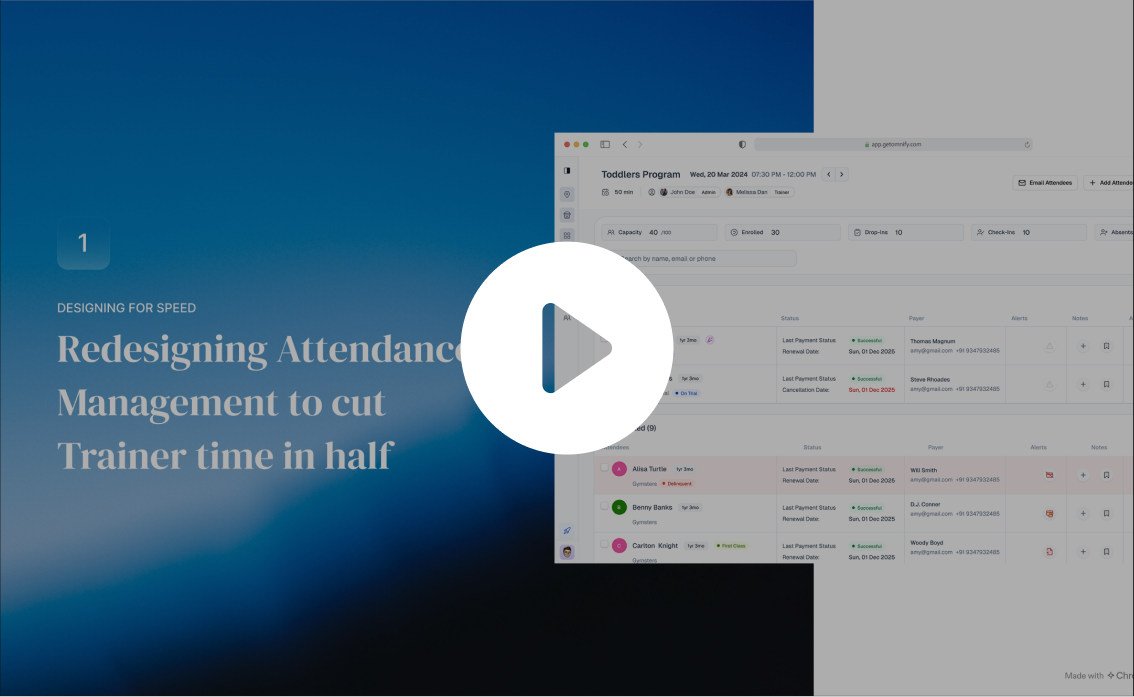
Here’s a Quick Walkthrough
About Omnify
- SAAS which helps Service Business(Sports, Recreation, Kids classes, Cooking classes)
- Basically shopify for service business.
- Service Business sells & runs per schedule (timebound).So Schedule management becomes the key offering.EX: Class A: 9AM-10AM, Class B: 11AM-12PM
My role on this project
01
My Role
I was the sole product designer, owning end-to-end — discovery, framing, exploration, final design, and rollout support.
02
PM - 1
On scope, prioritization, research and enterprise customer signals
03
Engineers - 4
I paired closely with the frontend lead on the component framework constraints
04
Customer success - 1
Who gave me direct access to enterprise trainers for shadowing and feedback
What’s Class Attendance Management
What
- Trainers handle multiple classes in a dayEX: Class A: 9AM-10AM, Class B: 11AM-12PM
- Dedicated place to take attendance for each of these classes
Who uses it: Trainers
- Trainers and staff, including gig workers.
- Must be intuitive with minimal learning curve.
Understanding Business Problem
Need
- Attendance is taken at the start or end of class.10–15 minutes to mark 20–30 members—speed is critical.
- Not just Attendance but a operational space for Upsell & Retention as well
How it Started
- Requests to cover more usecases & new enterprise types
- Since all parts of operations are '“Interconnected”
Stake
- Scale of the product and churn
Challenge
DISCOVERY
How I Understood the Problem
01
Trainer shadowing
- Watched recorded sessions with customer success
- Trainers were bottle necked on context-switching
02
Trainer interviews
- PM spoke with trainers across locations
- They were asking for the answer to one question, faster.
03
Support ticket analysis
- With the customer success team, I pulled attendance-related tickets.
- The top three themes were: subscription confusion during class, parent contact friction, and mistakes from child's profile.
Why this matters
Not just for Attendance but a operational space for Upsell & Retention as well. This is tightly coupled to business goal i.e Sell and Save Time
The time cost compounds across:
- Multiple classes per day for each trainer
- Multiple trainers at each location
- 200+ locations for enterprise clients
Product Problem Statement
“Trainers managing back-to-back classes are forced to switch across multiple disconnected surfaces (orders, subscriptions, client profiles), slowing down attendance-taking and increasing the risk of operational errors during time-critical sessions”
Goals
“ Approach this from system thinking by redesigning all the daily operation i.e Attendance Management, orders, subscription and client profile such that to connect & bring all these parts whenever needed.
Exploration:
Direction 1: Inline expansion within the roster row
- Expands like a gmail thread opening
- Why I rejected it:expansions stacked awkwardly with three kids
Direction 2: Full-page roster
- Surface key context in the roster itself, and for deeper exploration send them to a unified Family Profile
- Prototyped and tested as roll back plan
Exploration: Solving through Side Panels
Adopted new design system to facilitate the new redesign
- Inspiration
- Why it works?
- Multiple Entry Points
- Interaction
- Design System
CONSTRAINT
What i was working with
01
Users
- Gig workers
- 40s–50s. Minimal tech fluency.
- The interface needed near-zero learning curve.
02
Timeline
- 2.5+ months for first version.
- Redesign system scope was 5 months.
03
Technical
- Existing codebase with modal heavy architecture.
- New component framework.Minimal Design system
- Side panel stacking needs priority order
04
Risks
- Scanning & prioritizing key data is hard as information load
- Still exploration hence roll back plan
Where I Was Wrong
Missing Operational Context

Trainer’s Center Place for Operation
- 90% of class time
- Upfront information
- Limited panel stacking to just one

Family context was scattered
- When a parent books classes for multiple children
- Payments in parent & Subscription in child

Metrics weren't grounded in behavior
Data needs operational context to drive decisions.
The Pivot: 2 Key Design Decisions
Turning Attendance as Page and the Primary Workspace
- Full-page view for speed—Stays open for the entire class session
- Ex: While taking attendance might need info of if Churning, Payment Issue, Contact details, Payment alerts, Health Notes, Product received or not.
Open Family Profile for all additional details
- Client Profile as centre piece, shows all children in a family
- Ex: For retention of churning customer trainer might extend their subscription. Need to quick reach action to extend renew subscription
BEFORE
Group by stage & minimal columns
- Group By: System-driven stages
- Column: Attendees and their subscription
- Flow: Open Roster → go to profile → go to child profile → check subscription → come back → mark attendance
NOW
Group by booking type & added columns
- Group By: Booking type
- Left Side for Scanning & Right Side for Actions
- Ex: While taking attendance might need info of if Churning, Payment Issue, Contact details, Payment alerts, Health Notes, Product received or not.
- Flow: Stay in roster → open panel → verify + act → mark
BEFORE
Stacking - Panels
- Fragmented Layout: Client profile split into left (info) and right (activity)
- Scattered Family Context
NOW
One Family Profile
- Roster already covers Basic details
- For Direct Bookings: Need access to the specific order and its actions
- For Booked via Subscription: Subscription as source of truth & upfront action
- Ex: For retention of churning customer trainer might extend their subscription. Need to quick reach action to extend renew subscription
DECISION MAKING
What guided the process
01
Challenge
- Trainer is trying to reach one specific information
- Bring all key information - connect Attendance, orders, subscription and client profile
- Also priortize info for serves different type of business and key usecases.
02
Trade Off
- Digital cockpit: where reachability and discoverability outweigh aesthetic minimalism.
- Comparing data in panels is easier but compromising for upfront information
03
Collaboration
- PM: Resolved scope conflict by shipping both solutions in V1, with Family Profile scoped first and expanded in V2.
- Engineering: Avoided delays by simplifying to a single-level panel in V1, with advanced stacking planned later.
- Customer Success: Exchanged trainer research access for a beta rollout brief that helped faster adoption.
04
Validation
- Before launch: Ran usability tests with trainers; key result was faster attendance completion with fewer navigation steps.
- Beta rollout: Released to selected accounts, reviewed session recordings, and gathered feedback through Customer Success.
- Post-launch: Tracked time-on-roster, screens-per-attendee, subscription actions, and drop-offs. Core success metric: trainers no longer leaving the roster.
IMPACT
Core Efficiency Metrics
“ By reducing pre-class check-in time by ~40% (saving ~4–5 minutes per class, from ~10–12 minutes down to ~6–7 minutes). The redesigned roster saves ~3 operational hours per day for a mid-sized kids’ activity franchise running classes daily.Enabling trainers to validate subscriptions, access parent details, and complete actions without leaving the roster”.
↓ 65–75%
Screens visited per attendee
- Considering 4 clicks for subscription to 1 click after
- 5 clicks for order to 1 click and 0 click for parent & contact
↓ 35–45%
Avg pre-class check-in time
- Considering ~10–12 min before to 6-7min after
- Marking attendance, Quick Details & parent/contact reference, Checking notes / special instructions
- Verifying Order details & Verifying subscription validity & Performing inline actions (extend, rebook)
Let’s connect I’m open to product design opportunities and conversations
CONNECT
DOWNLOAD
Resume
Link
Back to Home
Thank You
DESIGNING FOR SPEED
Redesigning Attendance Management to cut Trainer time in half
Short on Time?
Here’s a Quick Walkthrough
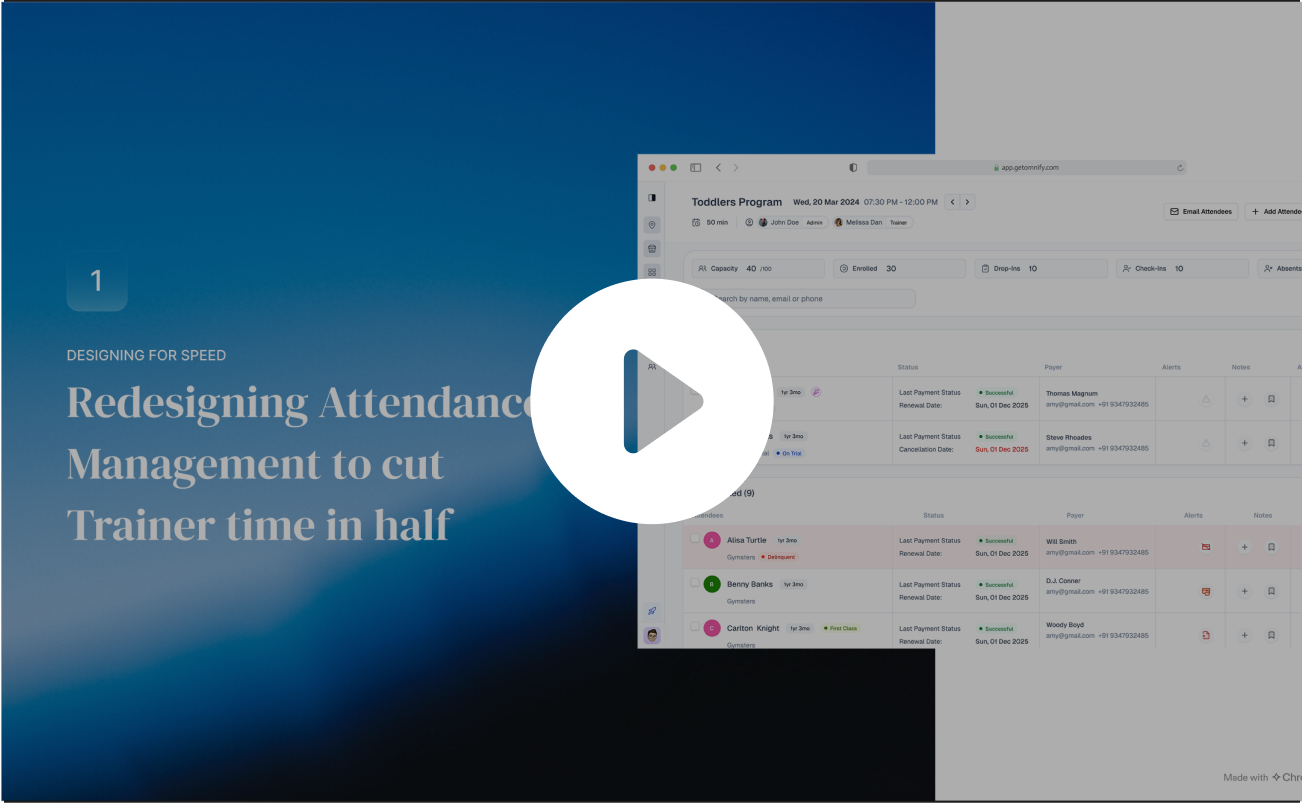
About Omnify
- SAAS which helps Service Business(Sports, Recreation, Kids classes, Cooking classes)
- Basically shopify for service business.
- Service Business sells & runs per schedule (timebound).So Schedule management becomes the key offering.EX: Class A: 9AM-10AM, Class B: 11AM-12PM
My role on this project
01
My Role
I was the sole product designer, owning end-to-end — discovery, framing, exploration, final design, and rollout support.
02
PM - 1
On scope, prioritization, research and enterprise customer signals
03
Engineers - 4
I paired closely with the frontend lead on the component framework constraints
04
Customer success - 1
Who gave me direct access to enterprise trainers for shadowing and feedback
What’s Class Attendance Management
What
- Trainers handle multiple classes in a dayEX: Class A: 9AM-10AM, Class B: 11AM-12PM
- Dedicated place to take attendance for each of these classes
Who uses it: Trainers
- Trainers and staff, including gig workers.
- Must be intuitive with minimal learning curve.
Understanding Business Problem
Need
- Attendance is taken at the start or end of class.10–15 minutes to mark 20–30 members—speed is critical.
- Not just Attendance but a operational space for Upsell & Retention as well
How it Started
- Requests to cover more usecases & new enterprise types
- Since all parts of operations are '“Interconnected”
Stake
- Scale of the product and churn
Challenge
DISCOVERY
How I Understood the Problem
01
Trainer shadowing
- Watched recorded sessions with customer success
- Trainers were bottle necked on context-switching
02
Trainer interviews
- PM spoke with trainers across locations
- They were asking for the answer to one question, faster.
03
Support ticket analysis
- With the customer success team, I pulled attendance-related tickets.
- The top three themes were: subscription confusion during class, parent contact friction, and mistakes from child's profile.
Why this matters
Not just for Attendance but a operational space for Upsell & Retention as well. This is tightly coupled to business goal i.e Sell and Save Time
The time cost compounds across:
- Multiple classes per day for each trainer
- Multiple trainers at each location
- 200+ locations for enterprise clients
Product Problem Statement
“Trainers managing back-to-back classes are forced to switch across multiple disconnected surfaces (orders, subscriptions, client profiles), slowing down attendance-taking and increasing the risk of operational errors during time-critical sessions”
Goals
“ Approach this from system thinking by redesigning all the daily operation i.e Attendance Management, orders, subscription and client profile such that to connect & bring all these parts whenever needed.
Exploration:
Direction 1: Inline expansion within the roster row
- Expands like a gmail thread opening
- Why I rejected it:expansions stacked awkwardly with three kids
Direction 2: Full-page roster
- Surface key context in the roster itself, and for deeper exploration send them to a unified Family Profile
- Prototyped and tested as roll back plan
Exploration: Solving through Side Panels
Adopted new design system to facilitate the new redesign
- Inspiration
- Why it works?
- Multiple Entry Points
- Interaction
- Design System
CONSTRAINT
What i was working with
01
Users
- Gig workers
- 40s–50s. Minimal tech fluency.
- The interface needed near-zero learning curve.
02
Timeline
- 2.5+ months for first version.
- Redesign system scope was 5 months.
03
Technical
- Existing codebase with modal heavy architecture.
- New component framework.Minimal Design system
- Side panel stacking needs priority order
04
Risks
- Scanning & prioritizing key data is hard as information load
- Still exploration hence roll back plan
Where I Was Wrong
Missing Operational Context

Trainer’s Center Place for Operation
- 90% of class time
- Upfront information
- Limited panel stacking to just one

Family context was scattered
- When a parent books classes for multiple children
- Payments in parent & Subscription in child

Metrics weren't grounded in behavior
Data needs operational context to drive decisions.
The Pivot: 2 Key Design Decisions
Turning Attendance as Page and the Primary Workspace
- Full-page view for speed—Stays open for the entire class session
- Ex: While taking attendance might need info of if Churning, Payment Issue, Contact details, Payment alerts, Health Notes, Product received or not.
Open Family Profile for all additional details
- Client Profile as centre piece, shows all children in a family
- Ex: For retention of churning customer trainer might extend their subscription. Need to quick reach action to extend renew subscription
BEFORE
Group by stage & minimal columns
- Group By: System-driven stages
- Column: Attendees and their subscription
- Flow: Open Roster → go to profile → go to child profile → check subscription → come back → mark attendance
NOW
Group by booking type & added columns
- Group By: Booking type
- Left Side for Scanning & Right Side for Actions
- Ex: While taking attendance might need info of if Churning, Payment Issue, Contact details, Payment alerts, Health Notes, Product received or not.
- Flow: Stay in roster → open panel → verify + act → mark
BEFORE
Stacking - Panels
- Fragmented Layout: Client profile split into left (info) and right (activity)
- Scattered Family Context
NOW
One Family Profile
- Roster already covers Basic details
- For Direct Bookings: Need access to the specific order and its actions
- For Booked via Subscription: Subscription as source of truth & upfront action
- Ex: For retention of churning customer trainer might extend their subscription. Need to quick reach action to extend renew subscription
DECISION MAKING
What guided the process
01
Challenge
- Trainer is trying to reach one specific information
- Bring all key information - connect Attendance, orders, subscription and client profile
- Also priortize info for serves different type of business and key usecases.
02
Trade Off
- Digital cockpit: where reachability and discoverability outweigh aesthetic minimalism.
- Comparing data in panels is easier but compromising for upfront information
03
Collaboration
- PM: Resolved scope conflict by shipping both solutions in V1, with Family Profile scoped first and expanded in V2.
- Engineering: Avoided delays by simplifying to a single-level panel in V1, with advanced stacking planned later.
- Customer Success: Exchanged trainer research access for a beta rollout brief that helped faster adoption.
04
Validation
- Before launch: Ran usability tests with trainers; key result was faster attendance completion with fewer navigation steps.
- Beta rollout: Released to selected accounts, reviewed session recordings, and gathered feedback through Customer Success.
- Post-launch: Tracked time-on-roster, screens-per-attendee, subscription actions, and drop-offs. Core success metric: trainers no longer leaving the roster.
IMPACT
Core Efficiency Metrics
“ By reducing pre-class check-in time by ~40% (saving ~4–5 minutes per class, from ~10–12 minutes down to ~6–7 minutes). The redesigned roster saves ~3 operational hours per day for a mid-sized kids’ activity franchise running classes daily.Enabling trainers to validate subscriptions, access parent details, and complete actions without leaving the roster”.
↓ 65–75%
Screens visited per attendee
- Considering 4 clicks for subscription to 1 click after
- 5 clicks for order to 1 click and 0 click for parent & contact
↓ 35–45%
Avg pre-class check-in time
- Considering ~10–12 min before to 6-7min after
- Marking attendance, Quick Details & parent/contact reference, Checking notes / special instructions
- Verifying Order details & Verifying subscription validity & Performing inline actions (extend, rebook)
Let’s connect I’m open to product design opportunities and conversations
CONNECT
DOWNLOAD
Resume
Link
Back to Home
Thank You
DESIGNING FOR SPEED
Redesigning Attendance Management to cut Trainer time in half
Short on Time?
Here’s a Quick Walkthrough
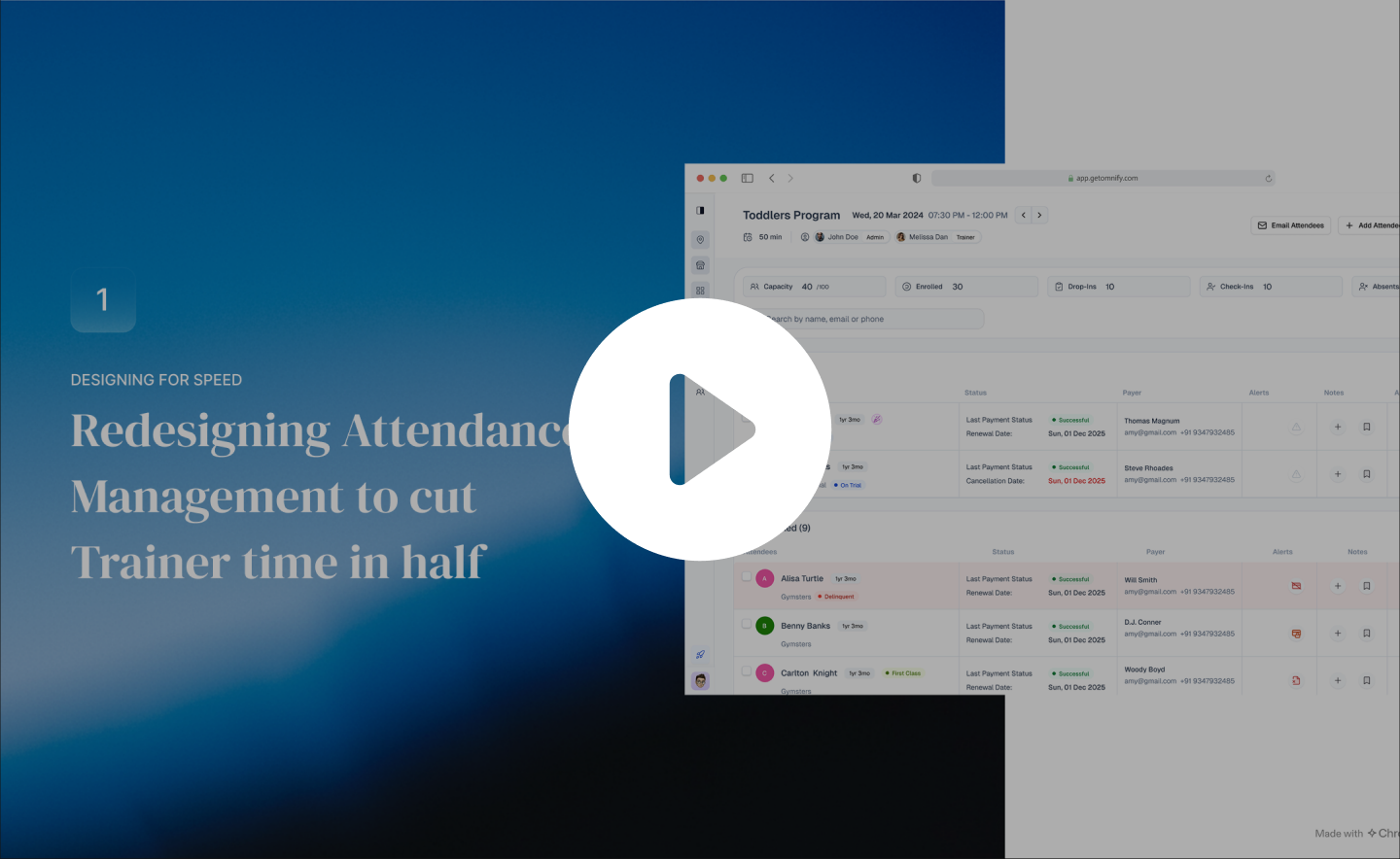
About Omnify
- SAAS which helps Service Business(Sports, Recreation, Kids classes, Cooking classes)
- Basically shopify for service business.
- Service Business sells & runs per schedule (timebound).So Schedule management becomes the key offering.EX: Class A: 9AM-10AM, Class B: 11AM-12PM
My role on this project
01
My Role
I was the sole product designer, owning end-to-end — discovery, framing, exploration, final design, and rollout support.
02
PM - 1
On scope, prioritization, research and enterprise customer signals
03
Engineers - 4
I paired closely with the frontend lead on the component framework constraints
04
Customer success - 1
Who gave me direct access to enterprise trainers for shadowing and feedback
What’s Class Attendance Management
What
- Trainers handle multiple classes in a dayEX: Class A: 9AM-10AM, Class B: 11AM-12PM
- Dedicated place to take attendance for each of these classes
Who uses it: Trainers
- Trainers and staff, including gig workers.
- Must be intuitive with minimal learning curve.
Understanding Business Problem
Need
- Attendance is taken at the start or end of class.10–15 minutes to mark 20–30 members—speed is critical.
- Not just Attendance but a operational space for Upsell & Retention as well
How it Started
- Requests to cover more usecases & new enterprise types
- Since all parts of operations are '“Interconnected”
Stake
- Scale of the product and churn
Challenge
DISCOVERY
How I Understood the Problem
01
Trainer shadowing
- Watched recorded sessions with customer success
- Trainers were bottle necked on context-switching
02
Trainer interviews
- PM spoke with trainers across locations
- They were asking for the answer to one question, faster.
03
Support ticket analysis
- With the customer success team, I pulled attendance-related tickets.
- The top three themes were: subscription confusion during class, parent contact friction, and mistakes from child's profile.
Why this matters
Not just for Attendance but a operational space for Upsell & Retention as well. This is tightly coupled to business goal i.e Sell and Save Time
The time cost compounds across:
- Multiple classes per day for each trainer
- Multiple trainers at each location
- 200+ locations for enterprise clients
Product Problem Statement
“Trainers managing back-to-back classes are forced to switch across multiple disconnected surfaces (orders, subscriptions, client profiles), slowing down attendance-taking and increasing the risk of operational errors during time-critical sessions”
Goals
“ Approach this from system thinking by redesigning all the daily operation i.e Attendance Management, orders, subscription and client profile such that to connect & bring all these parts whenever needed.
Exploration:
Direction 1: Inline expansion within the roster row
- Expands like a gmail thread opening
- Why I rejected it:expansions stacked awkwardly with three kids
Direction 2: Full-page roster
- Surface key context in the roster itself, and for deeper exploration send them to a unified Family Profile
- Prototyped and tested as roll back plan
Exploration: Solving through Side Panels
Adopted new design system to facilitate the new redesign
- Inspiration
- Why it works?
- Multiple Entry Points
- Interaction
- Design System
CONSTRAINT
What i was working with
01
Users
- Gig workers
- 40s–50s. Minimal tech fluency.
- The interface needed near-zero learning curve.
02
Timeline
- 2.5+ months for first version.
- Redesign system scope was 5 months.
03
Technical
- Existing codebase with modal heavy architecture.
- New component framework.Minimal Design system
- Side panel stacking needs priority order
04
Risks
- Scanning & prioritizing key data is hard as information load
- Still exploration hence roll back plan
Where I Was Wrong
Missing Operational Context

Trainer’s Center Place for Operation
- 90% of class time
- Upfront information
- Limited panel stacking to just one

Family context was scattered
- When a parent books classes for multiple children
- Payments in parent & Subscription in child

Metrics weren't grounded in behavior
Data needs operational context to drive decisions.
The Pivot: 2 Key Design Decisions
Turning Attendance as Page and the Primary Workspace
- Full-page view for speed—Stays open for the entire class session
- Ex: While taking attendance might need info of if Churning, Payment Issue, Contact details, Payment alerts, Health Notes, Product received or not.
Open Family Profile for all additional details
- Client Profile as centre piece, shows all children in a family
- Ex: For retention of churning customer trainer might extend their subscription. Need to quick reach action to extend renew subscription
BEFORE
Group by stage & minimal columns
- Group By: System-driven stages
- Column: Attendees and their subscription
- Flow: Open Roster → go to profile → go to child profile → check subscription → come back → mark attendance
NOW
Group by booking type & added columns
- Group By: Booking type
- Left Side for Scanning & Right Side for Actions
- Ex: While taking attendance might need info of if Churning, Payment Issue, Contact details, Payment alerts, Health Notes, Product received or not.
- Flow: Stay in roster → open panel → verify + act → mark
BEFORE
Stacking - Panels
- Fragmented Layout: Client profile split into left (info) and right (activity)
- Scattered Family Context
NOW
One Family Profile
- Roster already covers Basic details
- For Direct Bookings: Need access to the specific order and its actions
- For Booked via Subscription: Subscription as source of truth & upfront action
- Ex: For retention of churning customer trainer might extend their subscription. Need to quick reach action to extend renew subscription
DECISION MAKING
What guided the process
01
Challenge
- Trainer is trying to reach one specific information
- Bring all key information - connect Attendance, orders, subscription and client profile
- Also priortize info for serves different type of business and key usecases.
02
Trade Off
- Digital cockpit: where reachability and discoverability outweigh aesthetic minimalism.
- Comparing data in panels is easier but compromising for upfront information
03
Collaboration
- PM: Resolved scope conflict by shipping both solutions in V1, with Family Profile scoped first and expanded in V2.
- Engineering: Avoided delays by simplifying to a single-level panel in V1, with advanced stacking planned later.
- Customer Success: Exchanged trainer research access for a beta rollout brief that helped faster adoption.
04
Validation
- Before launch: Ran usability tests with trainers; key result was faster attendance completion with fewer navigation steps.
- Beta rollout: Released to selected accounts, reviewed session recordings, and gathered feedback through Customer Success.
- Post-launch: Tracked time-on-roster, screens-per-attendee, subscription actions, and drop-offs. Core success metric: trainers no longer leaving the roster.
IMPACT
Core Efficiency Metrics
“ By reducing pre-class check-in time by ~40% (saving ~4–5 minutes per class, from ~10–12 minutes down to ~6–7 minutes). The redesigned roster saves ~3 operational hours per day for a mid-sized kids’ activity franchise running classes daily.Enabling trainers to validate subscriptions, access parent details, and complete actions without leaving the roster”.
↓ 65–75%
Screens visited per attendee
- Considering 4 clicks for subscription to 1 click after
- 5 clicks for order to 1 click and 0 click for parent & contact
↓ 35–45%
Avg pre-class check-in time
- Considering ~10–12 min before to 6-7min after
- Marking attendance, Quick Details & parent/contact reference, Checking notes / special instructions
- Verifying Order details & Verifying subscription validity & Performing inline actions (extend, rebook)
Let’s connect I’m open to product design opportunities and conversations
CONNECT
DOWNLOAD
Resume
Link
Back to Home
Thank You